 Pengo Popups
Chat popups that show who’s answering
Pre-chat popups that greet new visitors, rescue a failed discount code, show shoppers their order and book calls from your calendar. Every one shows who will reply and how fast, in your brand.
Nine popups, two on from the startNine designs, your brandFree forever plan
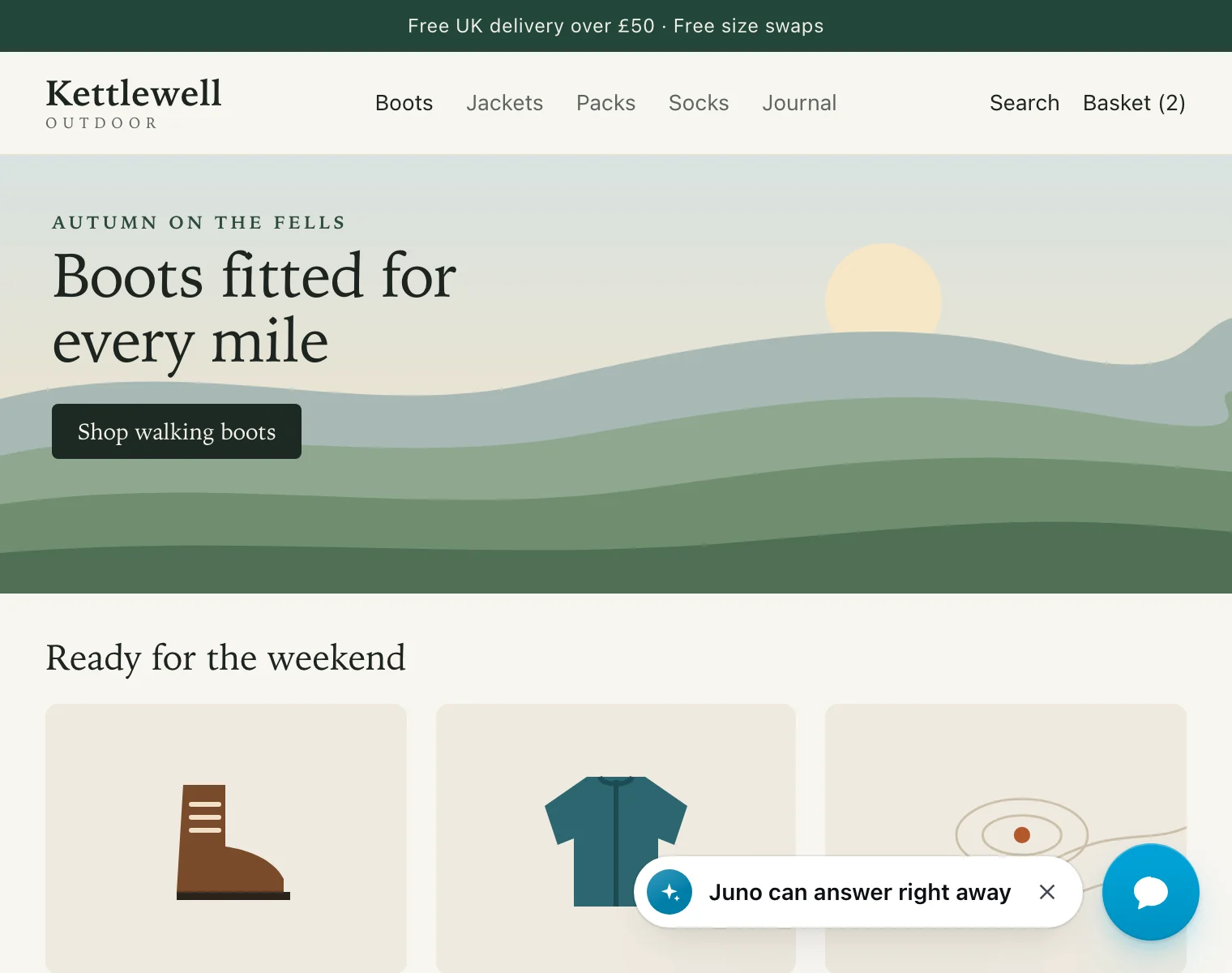
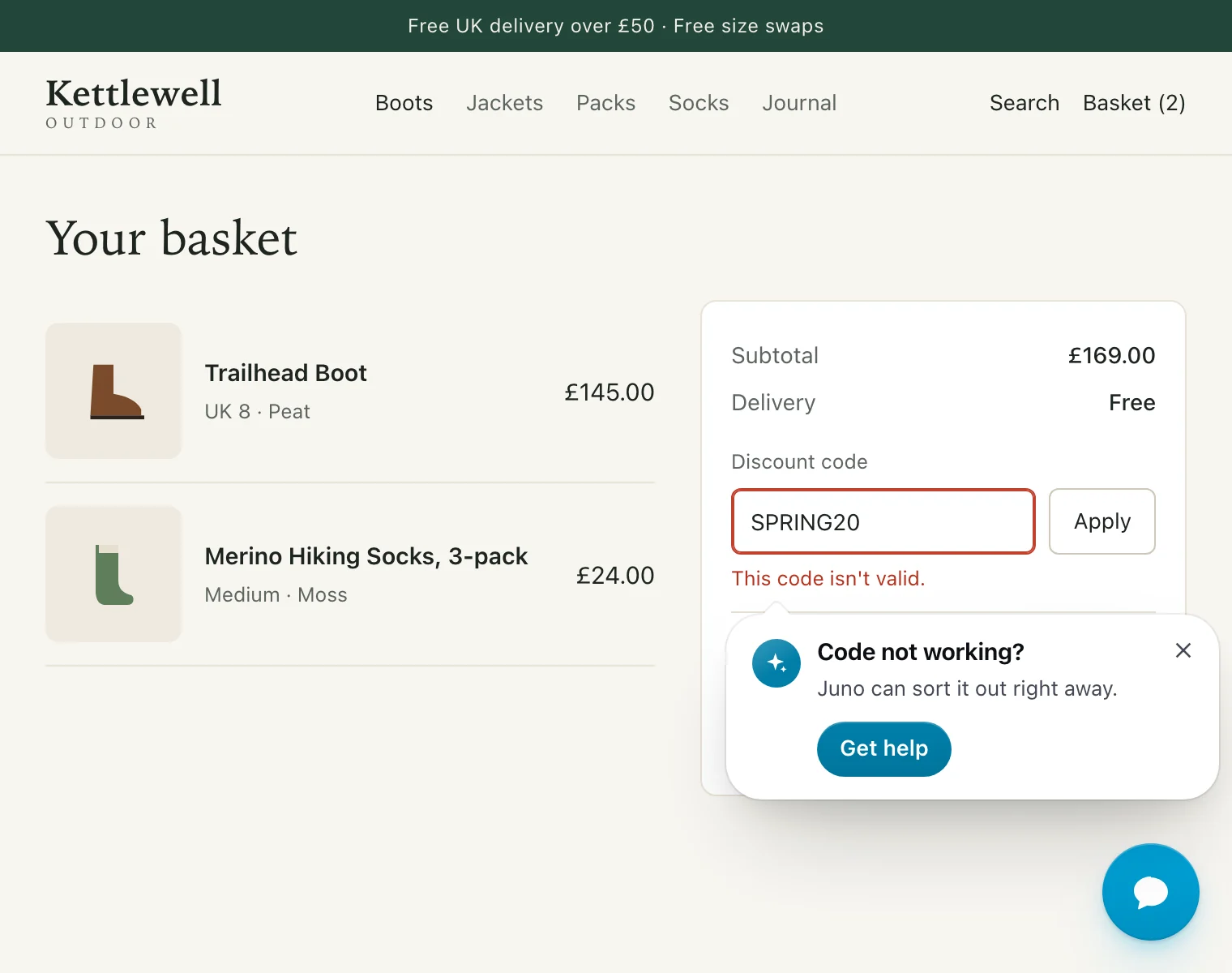
Animation: real Pengo Popups on the Kettlewell Outdoor store. First, one line beside the chat button, with teammates Hannah and Owen, says Hannah can answer in a couple of minutes. Then a First visit card asks New here? Ask us anything and says Pengo answers right away, with the AI assistant labelled as AI and two teammates rising over the card. Finally, in the basket, the discount code SPRING20 is turned down and a card appears right beside the error: Code not working? Hannah can sort it out in a couple of minutes, with a Get help button.
What is a pre-chat popup?
A pre-chat popup is a small message beside a website’s chat button that invites a visitor to talk before they open the chat. Pengo Popups show who will reply and how fast, appear at moments that matter, such as a first visit, a failed discount code or an order on its way, and follow your rules exactly.
- Popups
- Nine, including Rescue on the spot, Order updates and Book a call
- Designs
- Nine, from a quiet line by the chat button to an order tracker
- Who’s answering
- Your team, or Pengo Intelligence labelled as AI
- Weight
- 14.5 KB, loaded only where a popup could show
Every popup shows who will really reply
Visitors click when they know what happens next. Each popup shows the people or the assistant who will answer, and how fast, so the invitation is a promise you keep.
-
Your team, with its measured reply time
The teammates who are online right now, and your team’s measured reply time, such as “in a couple of minutes”. Until there’s enough history to measure it, popups leave it out rather than guess.
-
Pengo Intelligence, labelled as AI
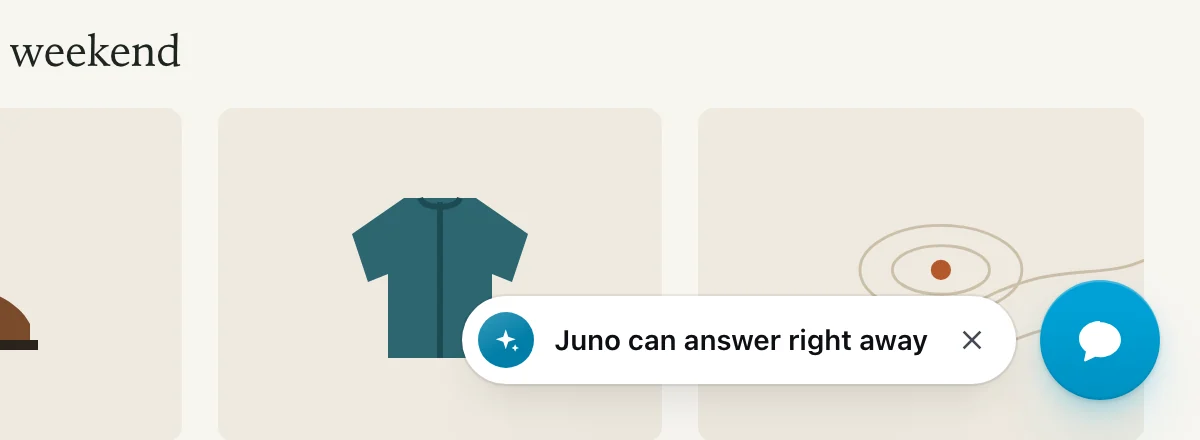
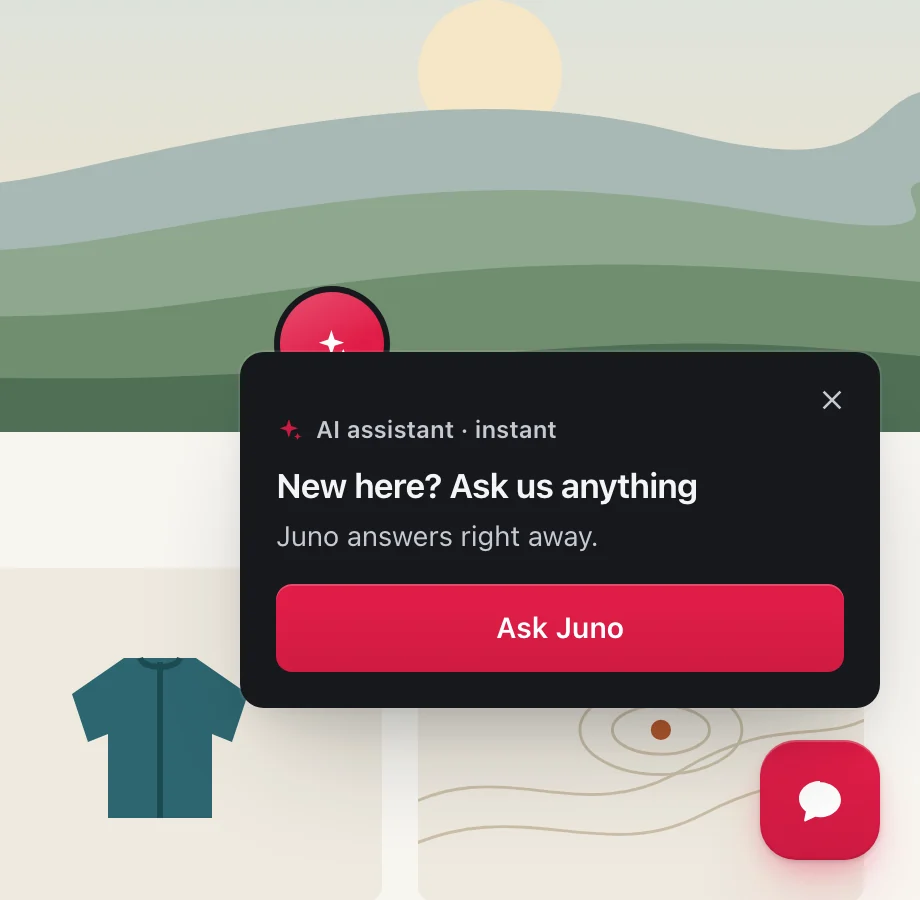
When the AI assistant answers, the popup shows it and says so. Teammates who are online appear beside it.
-
One message for every case
Write it once with
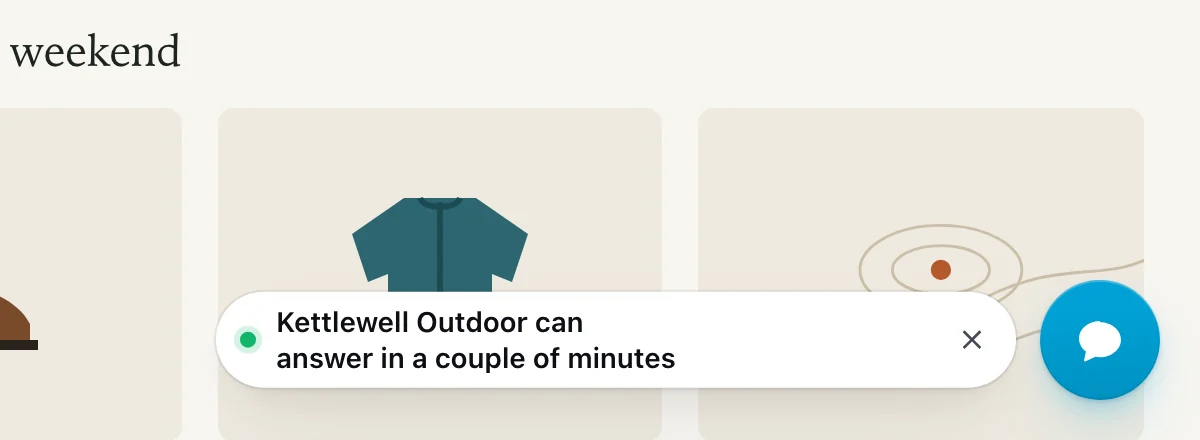
{who}and{reply_time}: “Kettlewell Outdoor can answer in a couple of minutes”, or “Juno can answer right away” while your assistant answers. - Meet Pengo Intelligence
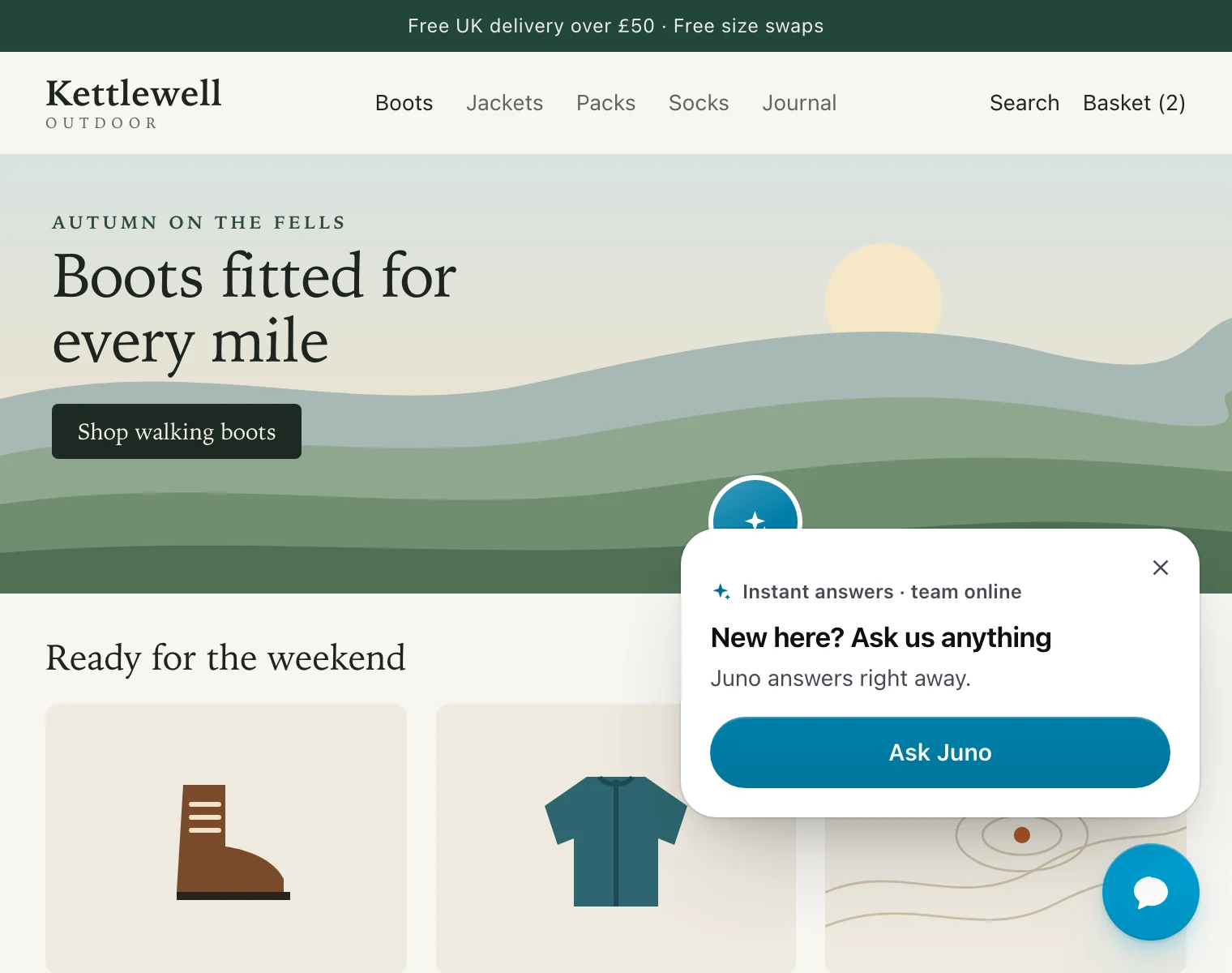
A design for every moment
Six designs any popup can wear, plus three built for one job each: rescuing a checkout, tracking an order and booking a call. These are real renders, on a real store page.
-
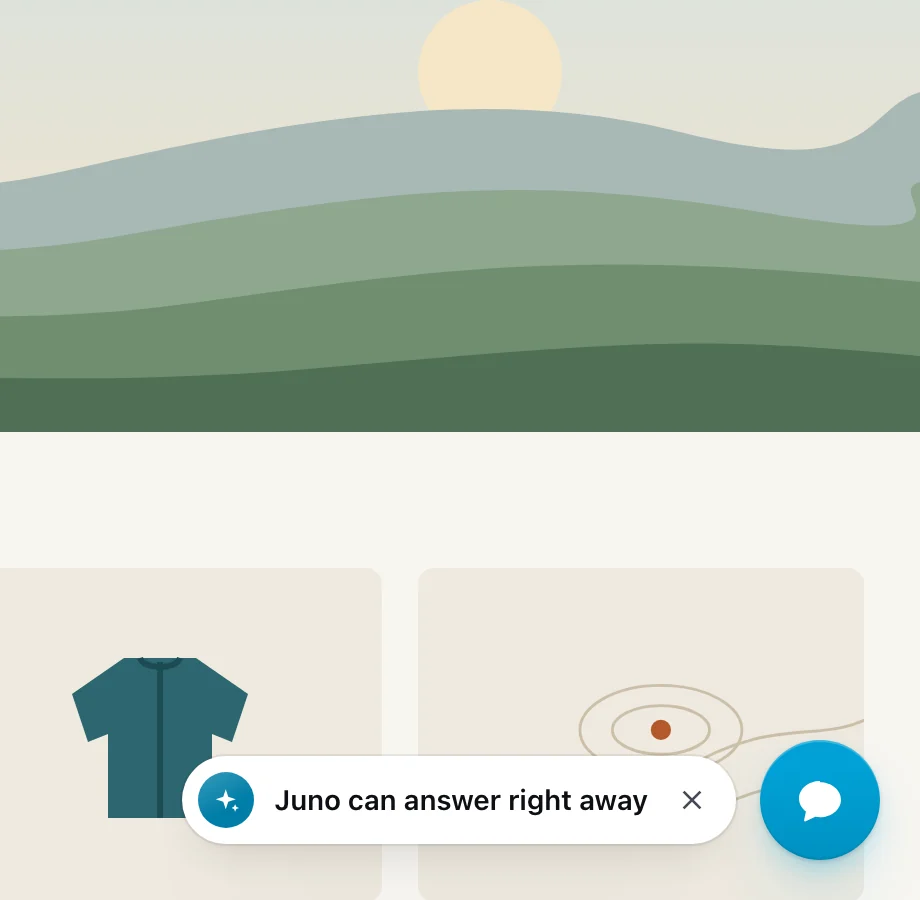
Who’s answering, on any page
Halo
One line beside the chat button, with the faces of whoever answers and the real reply time.
-
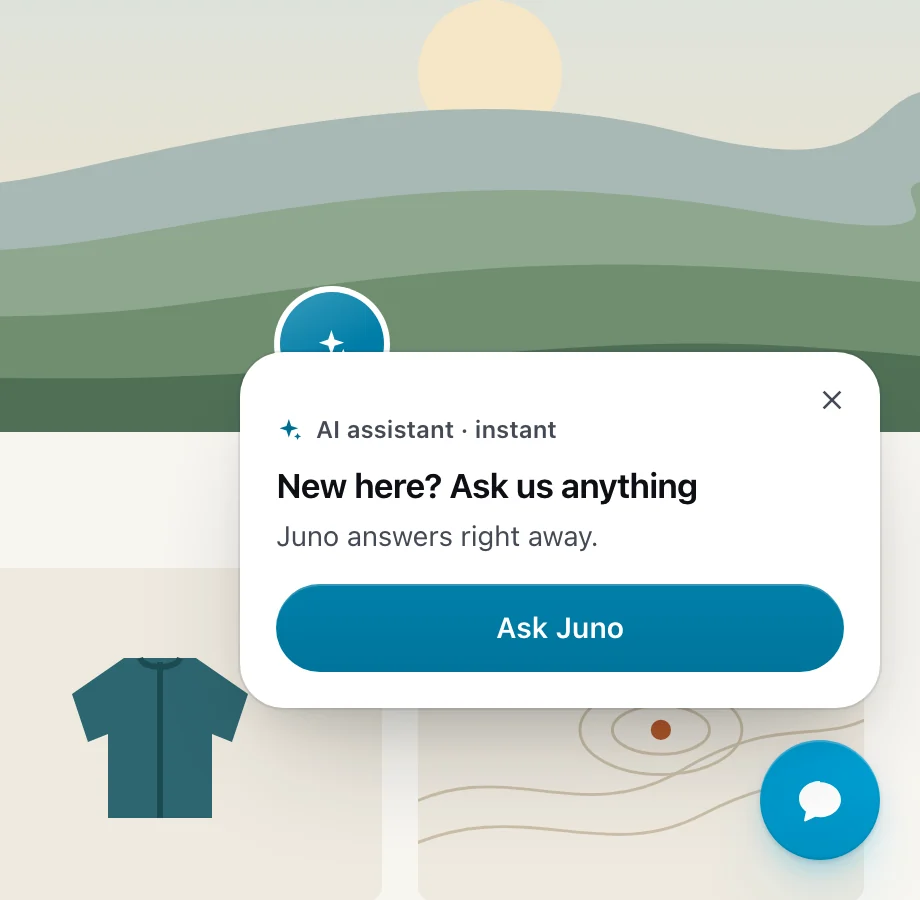
First visits, after hours
Peek
Your team rises from behind the card’s top edge, like someone leaning over a counter.
-
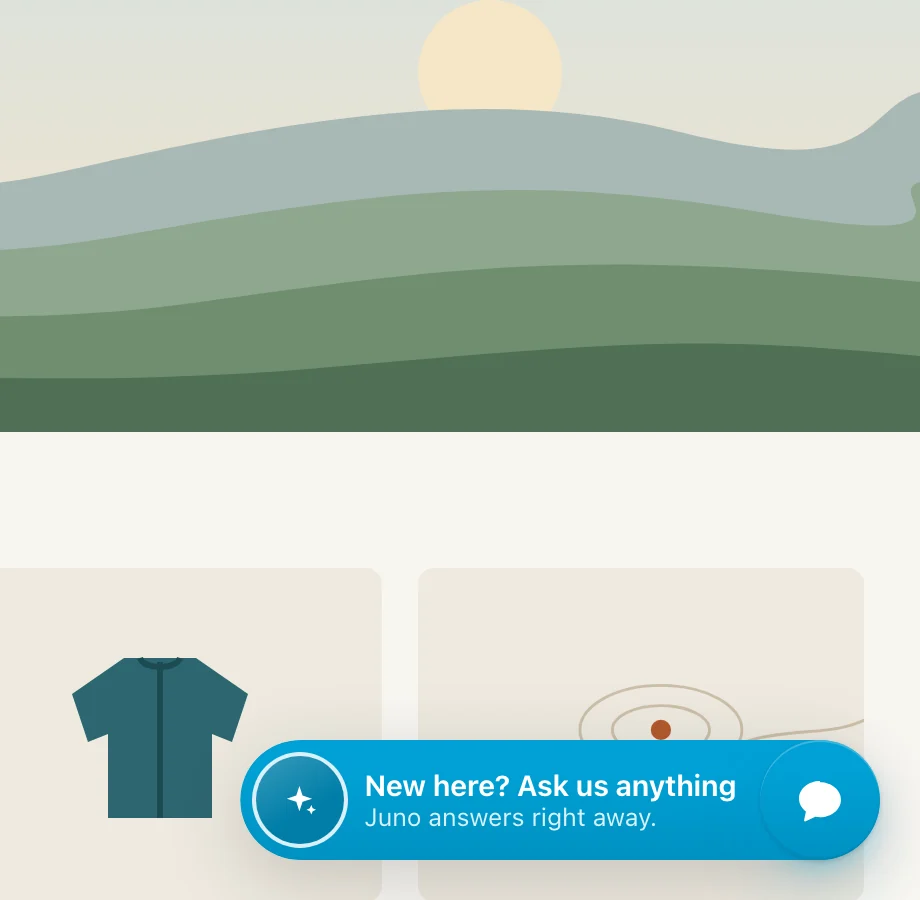
The quietest nudge, and phones
Morph
The chat button itself stretches into a pill with a face and one line.
-
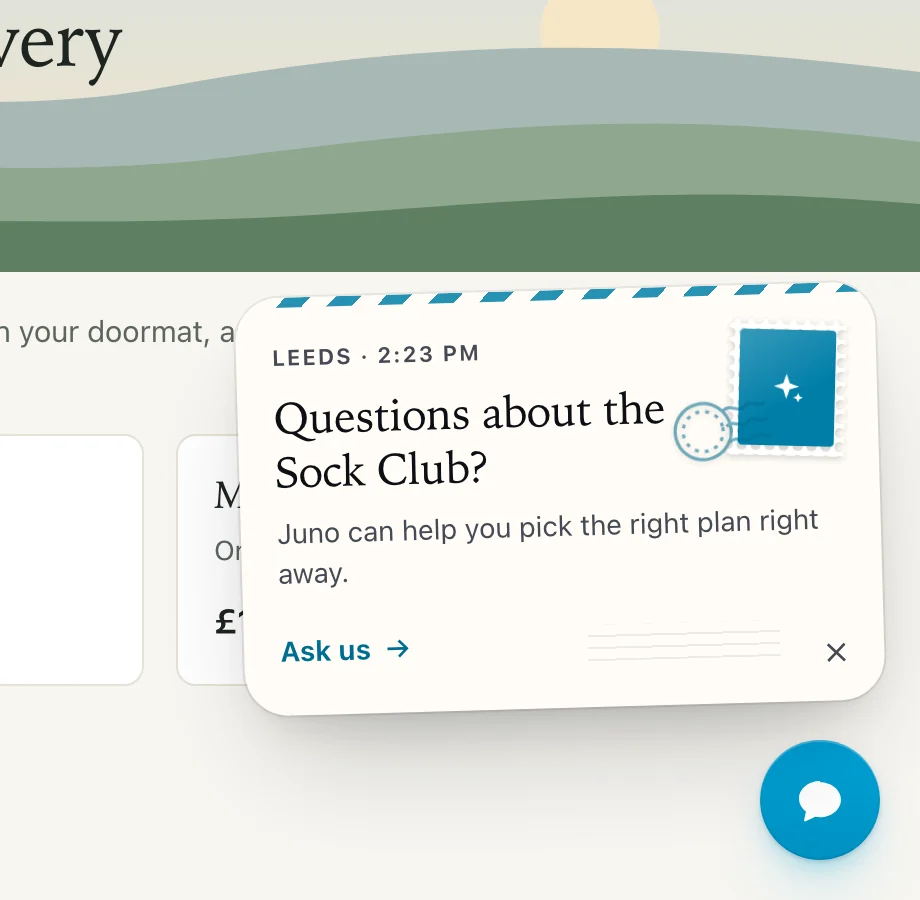
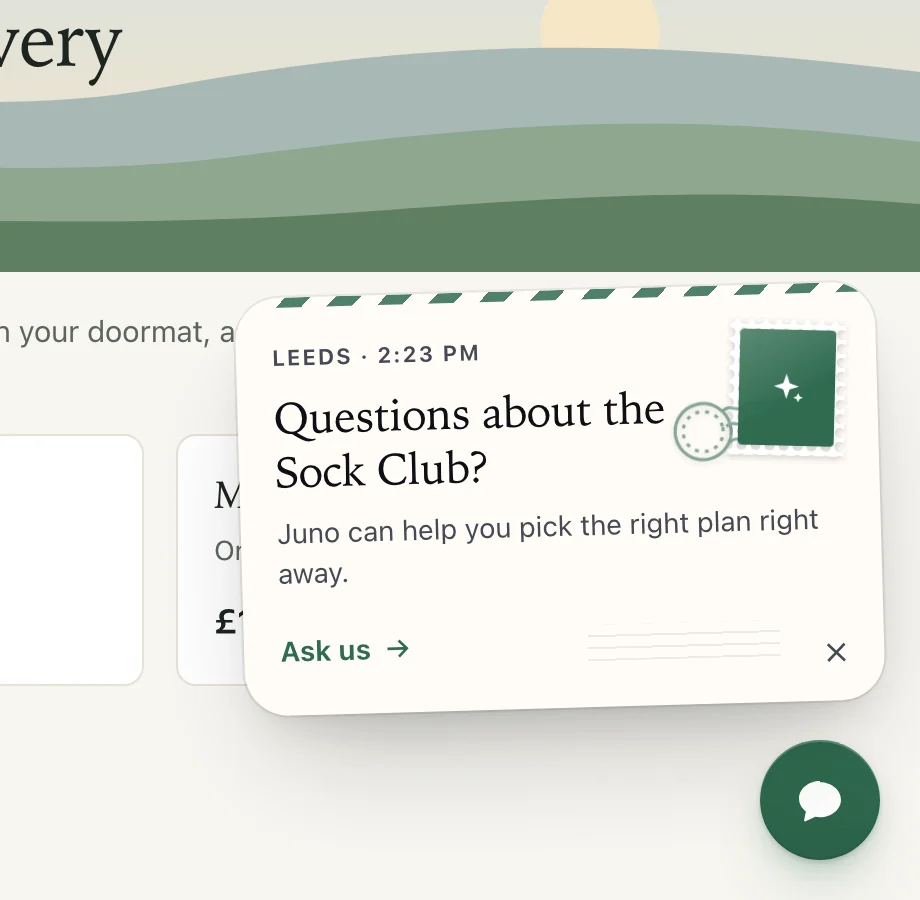
Pricing pages, small teams
Postcard
Paper with an airmail edge, a stamp and your team’s city and local time.
-
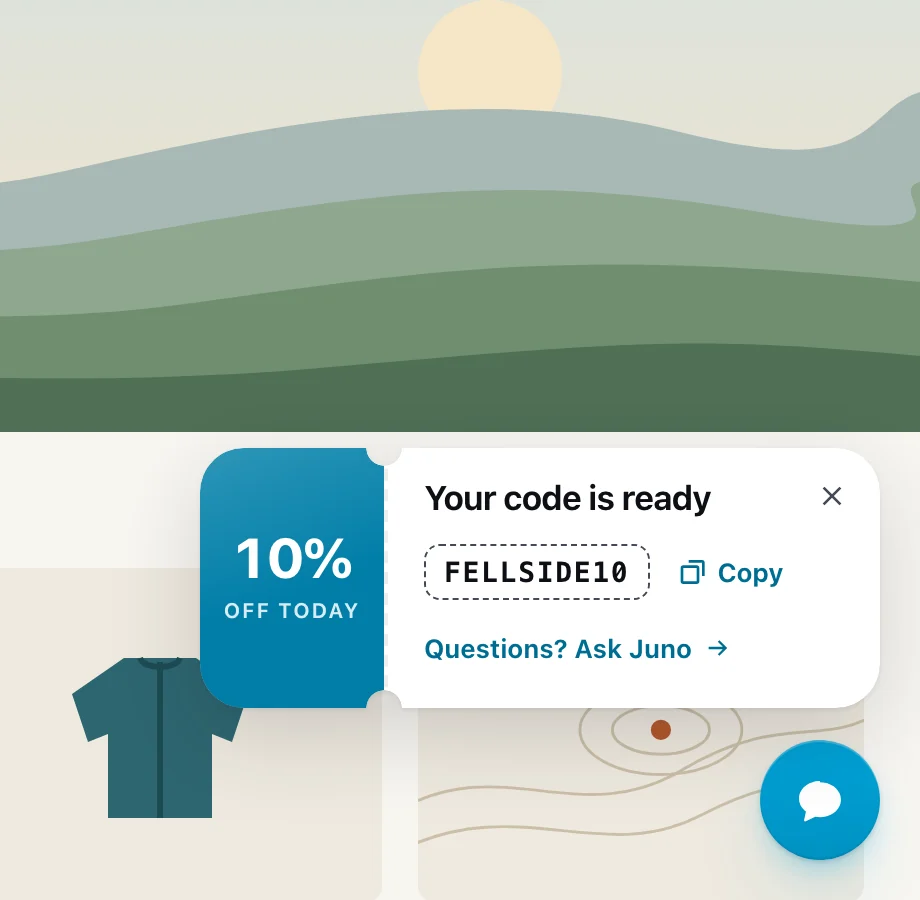
Campaign offers
Ticket
A tear-off stub with the code beside it, copied in one tap.
-
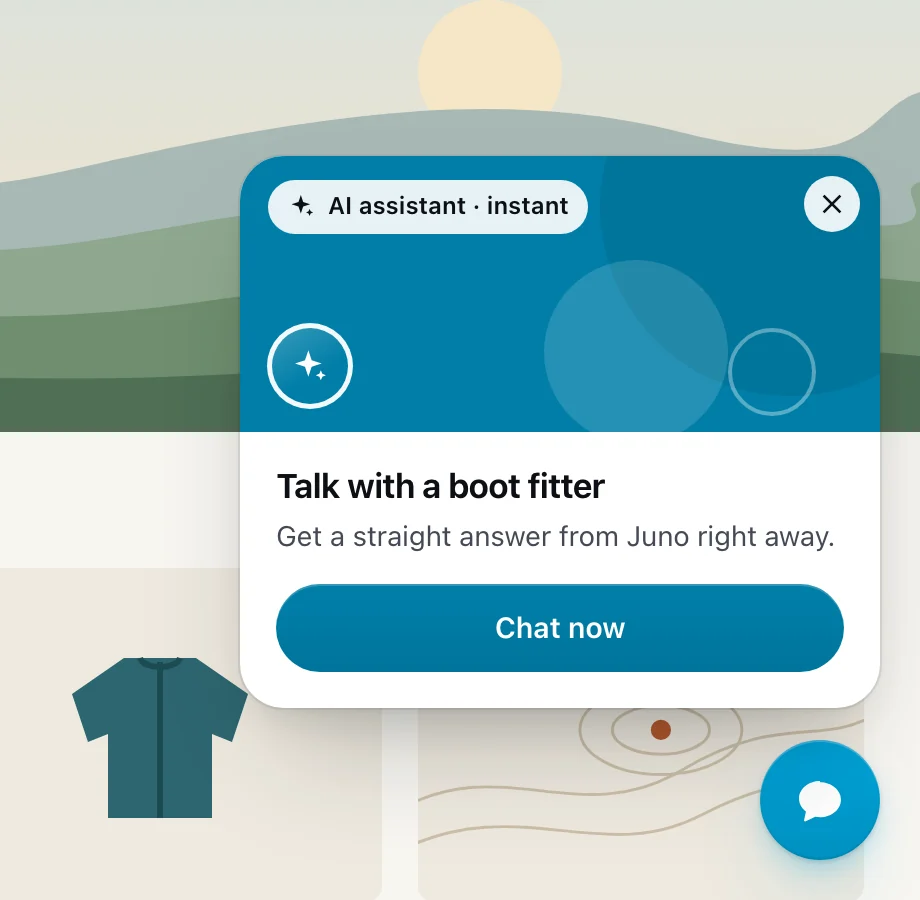
Talk to an expert
Spotlight
A big picture card with your team and one clear action.
-
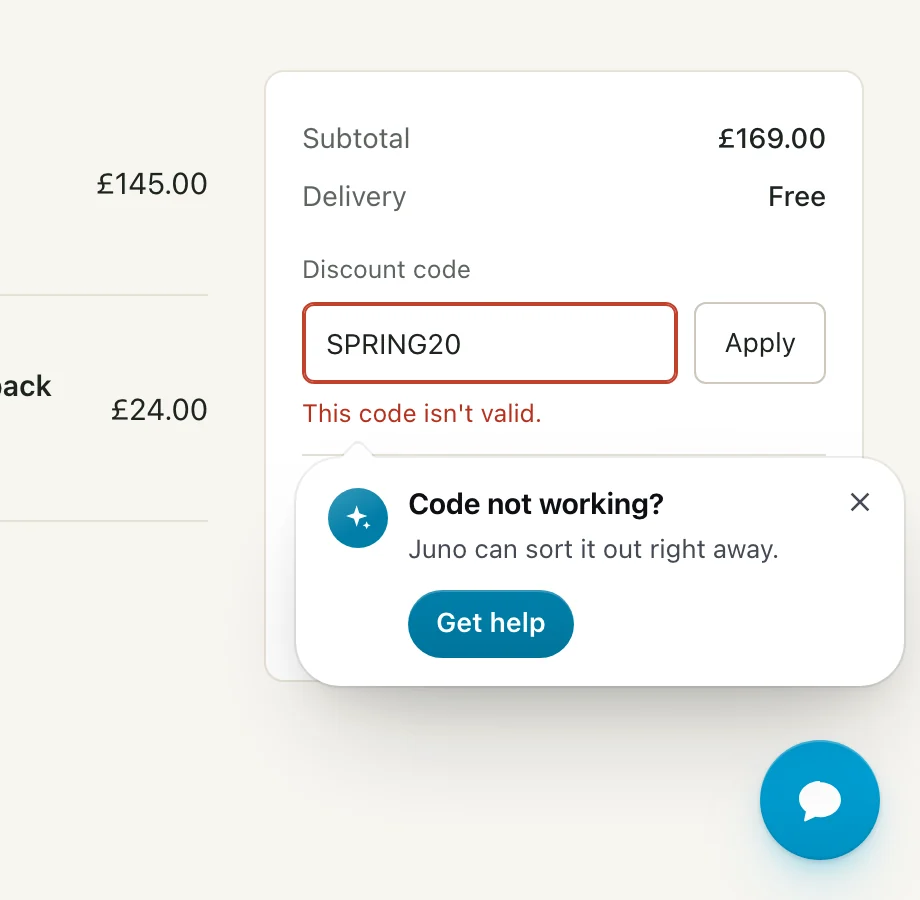
Rescue on the spot
Rescue card
A small card right beside the error, pointing at it, with one tap to help.
-
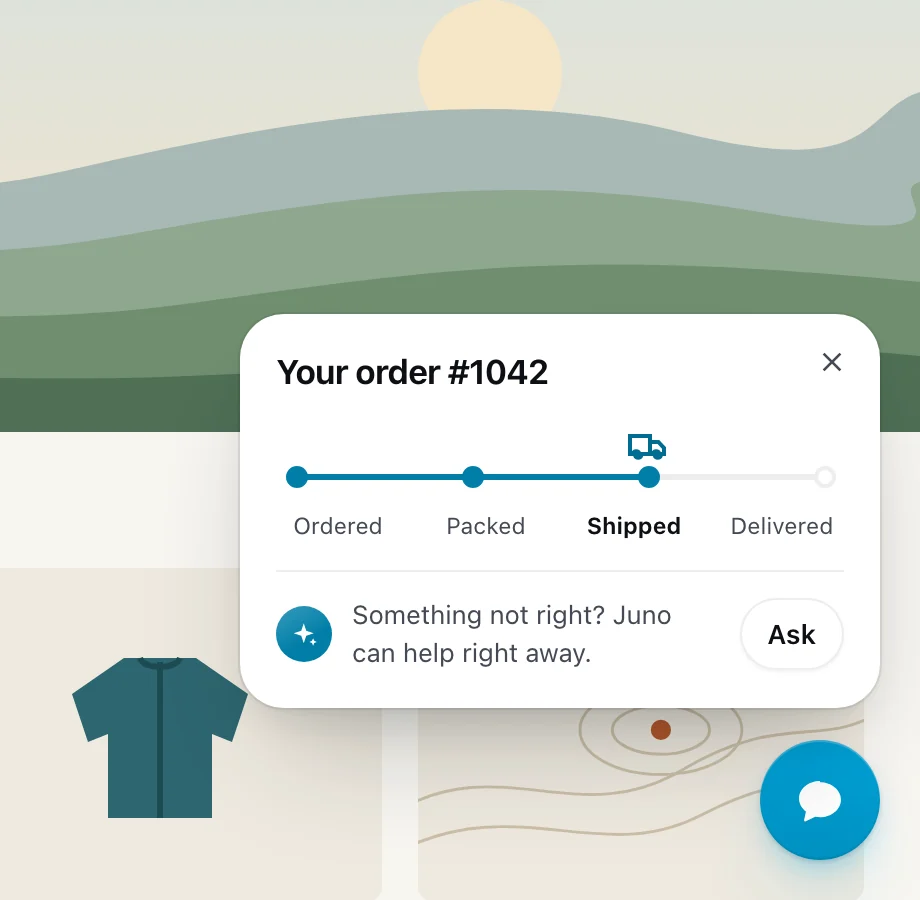
Order updates
Order tracker
The order on a progress bar, Ordered, Packed, Shipped, with a truck on the line.
-
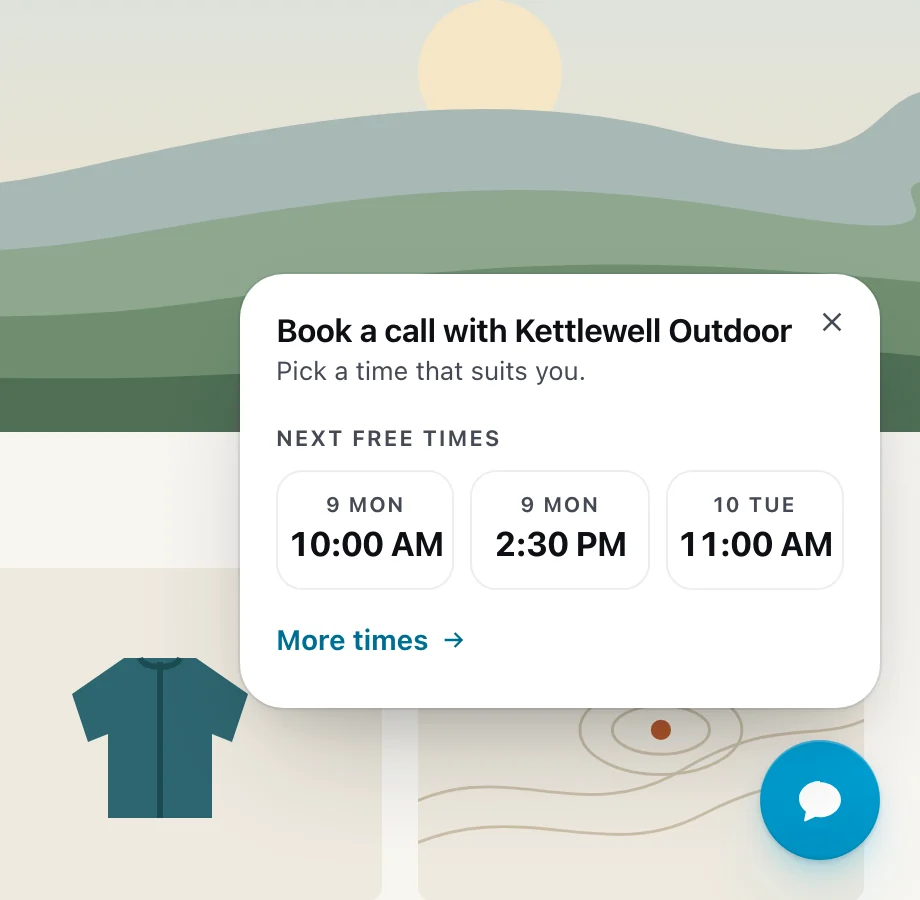
Book a call
Time slots
Your calendar’s next three free times as tiles, in the visitor’s own time zone.
Show up when the visitor has a reason
Generic “Any questions?” cards get closed. Pengo Popups appear at the moments that decide a sale, each with its own built-in rule, so you never set up a trigger.
-
Rescue on the spot
A discount code fails or a checkout step goes wrong, and help appears right beside the error. One tap opens the chat with the problem already written. On from the start, nothing to set up.
-
Order updates
Signed-in shoppers see where their order is, Ordered, Packed, Shipped, straight from your Shopify, WooCommerce or BigCommerce store, before they need to ask.
-
Book a call
Your calendar’s next three free times, from Calendly, Cal.com or Google Calendar. A tap opens the chat with the booking ready, that time first.
-
Campaign offer
A code to copy for visitors who arrive from a campaign or whose basket passes an amount you choose.
-
Pricing, experts, first visits and after hours
A question on your pricing page, a specialist on the pages you pick, a hello for someone new, and when you’re back when nobody can answer.
- See every popup in the guide
Looks like your site, not ours
Popups take your widget’s look automatically, so they feel like part of the page rather than an ad on top of it.
-
Your colour, light or dark
Every design draws from your brand colour and follows your widget’s light or dark mode.
-
Your corners and position
Rounded or square corners, and a chat button on the left or the right.
-
Right-to-left ready
Layouts flip for right-to-left languages, arrows and all.
- Style the widget to match your site
Fast for your visitors, invisible to your page speed
Popups load only on pages where one could show, and never move your page’s content.
-
14.5 KB
gzipped, fetched only where a popup could show
-
8
languages for the default words, picked for each visitor
-
0
layout shift: popups float over the page
-
0
AI calls: rules and the data you already have
One section, sensible defaults
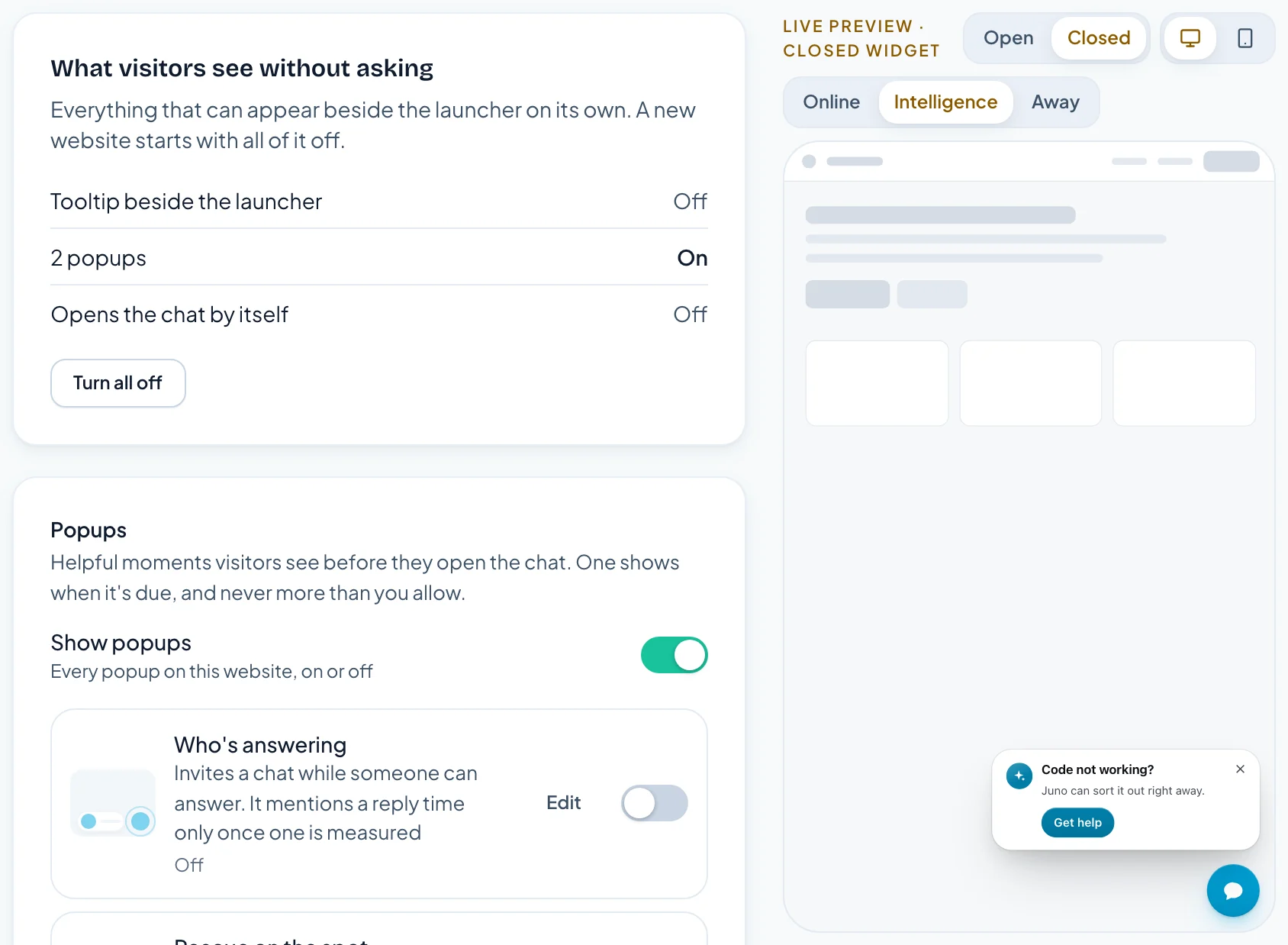
Every popup lives in one Popups section, with a switch and its 30-day numbers on each row. Edit opens it right there, beside a live preview.
-
Useful from the first minute
Rescue on the spot and Order updates are on from the start, in words visitors read in their own language. Who’s answering and the rest are a switch away, and Connect store or Connect calendar sits right on the row that needs it.
-
Gentle by default
How often caps popups across your site: one per visit on Gentle, or up to two on Normal. A popup a visitor closes stays away for a week.
-
Preview every case
Switch the preview between Online, Intelligence and Away, on desktop or phone, before anything goes live.
-
Numbers on every row
Views and chats started for the last 30 days, so you can see which popups earn their place.
- Set up popups in five minutes
Pengo Popups FAQ
What is a pre-chat popup?
Does Pengo use AI to pick or write popups?
Which popups are there?
Can popups track orders and book calls?
Will popups slow down my website?
How many popups will a visitor see?
Do popups work on phones and in other languages?
What happens to my existing eye catcher?

Invite every visitor at the moment that matters
Install in five minutes. Your AI agent is answering before your coffee cools.
Free plan forever · 14-day Growth trial · Cancel anytime