 Live chat widget
The live chat widget your customers enjoy using
A chat window in your colors, with your greeting, your team and your help articles. Visitors get answers in seconds, share photos and voice notes, book a time and reach a person, all without leaving the page.
One script tagFree forever planEight widget languages
Animation: Kettlewell Outdoor’s chat widget. The home screen shows the store’s greeting and opens to a chat. A visitor asks whether the Trailhead Boot comes in a wide fit, and Pengo Intelligence answers from the boot size guide and shows it as the source. When he asks to collect his order from the Leeds warehouse, Pengo brings in Owen from the team, who joins the same chat window and replies.
What is a live chat widget?
A live chat widget is the chat window on your website where visitors ask questions and get answers in real time, from AI or from your team. Pengo’s live chat widget installs with one script tag, matches your brand, and brings answers, file sharing, voice notes, meeting booking and ratings into one window.
- Install
- One script tag, or a guide for every platform
- Languages
- Eight, including right-to-left Arabic
- Inside
- Rich messages, files, voice notes, booking and CSAT
- Plans
- On every plan, Free included
More than a text box
Show products, take bookings, collect files and ratings, and keep the conversation going after the visitor closes the tab.
Rich messages
Buttons, cards, carousels, forms, articles and products right in the thread, with a clean plain-text fallback on channels that can’t render them.
Meeting booking
On Growth and up, visitors pick a slot from Cal.com, Calendly or Google Calendar without leaving the chat.
Photos, files and voice notes
Visitors send photos, PDFs, Word and Excel files, short videos and voice notes up to 10 MB. Every upload is checked, so a renamed file can’t sneak through.
Live order cards
Ask where an order is and the answer comes with a card: each step the store has confirmed, the items, the total and the tracking link. It refreshes itself while the visitor watches.
CSAT, in chat and by email
Ask for a rating when a chat closes, or follow up with a signed email link. Unhappy ratings route to a person.
Reply-by-email continuation
Visitor left? Your reply reaches their inbox. They answer by email, or tap “continue in chat” to pick up where they left off.
Five themes. Every one looks designed.
Start on Signature, or pick Floe, Linen, Night or Bold, then make it yours with your color, font and corners. Or let Pengo read your site and match it in one click.
-
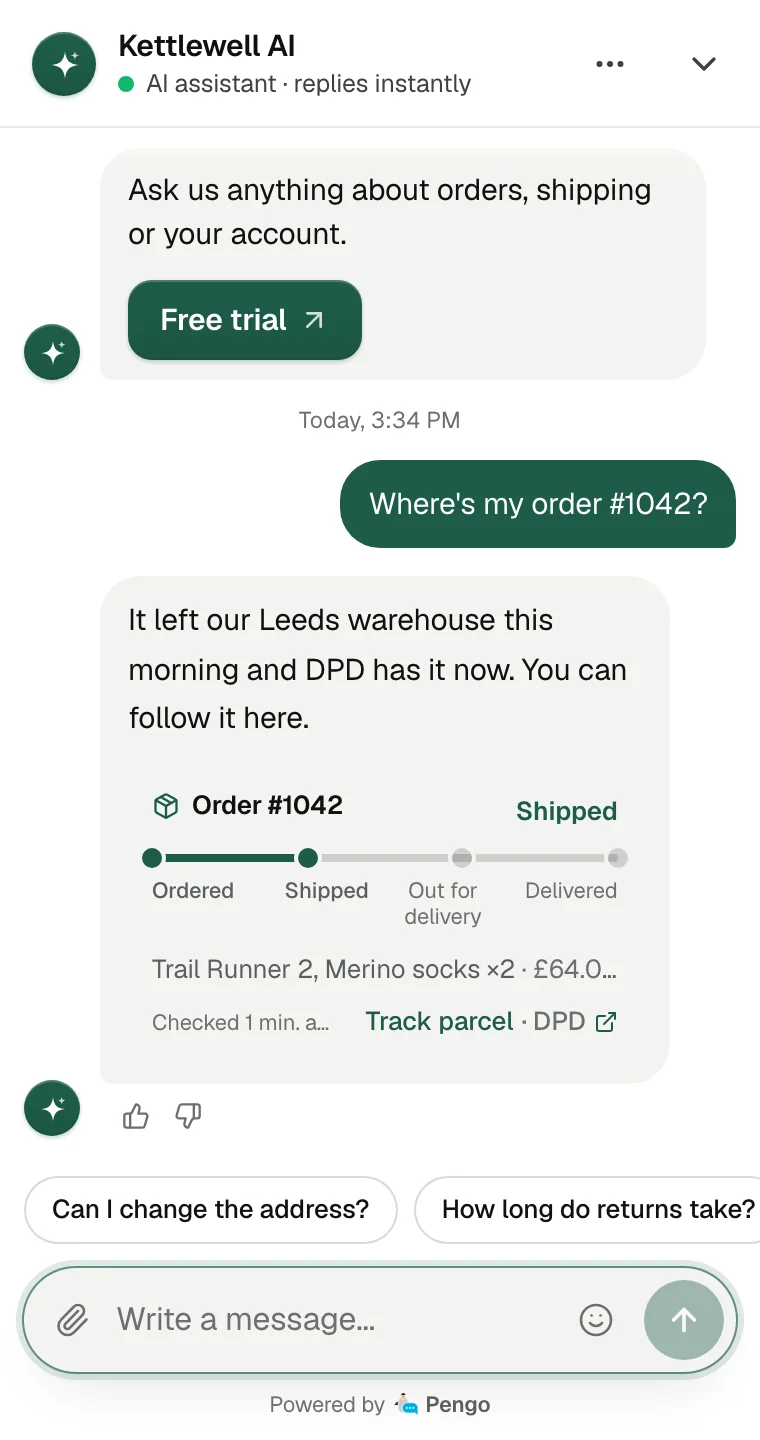
Signature
Where every new website starts: a quiet white panel with your color exactly where it counts.
-
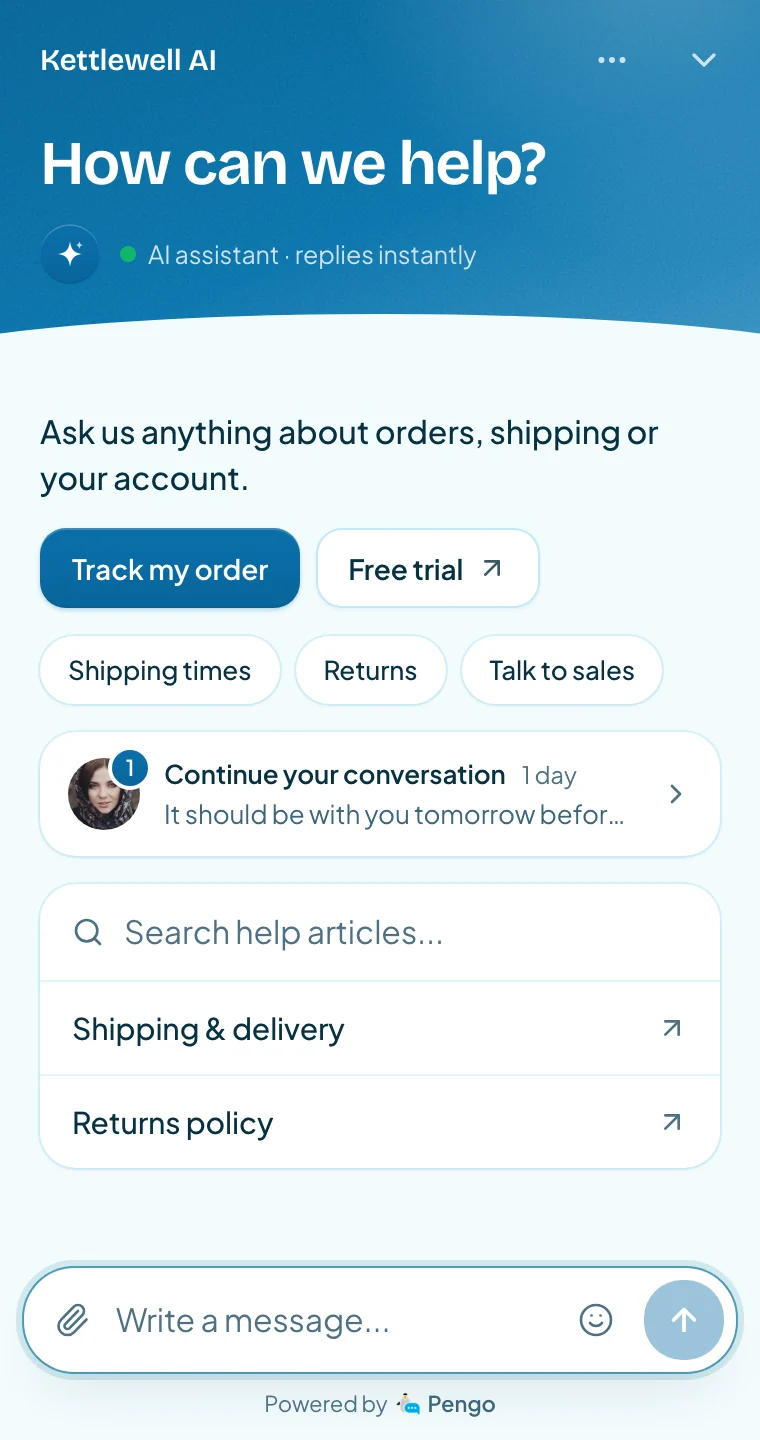
Floe
A sky in your color over a curve of ice, with a greeting that folds away once the chat begins.
-
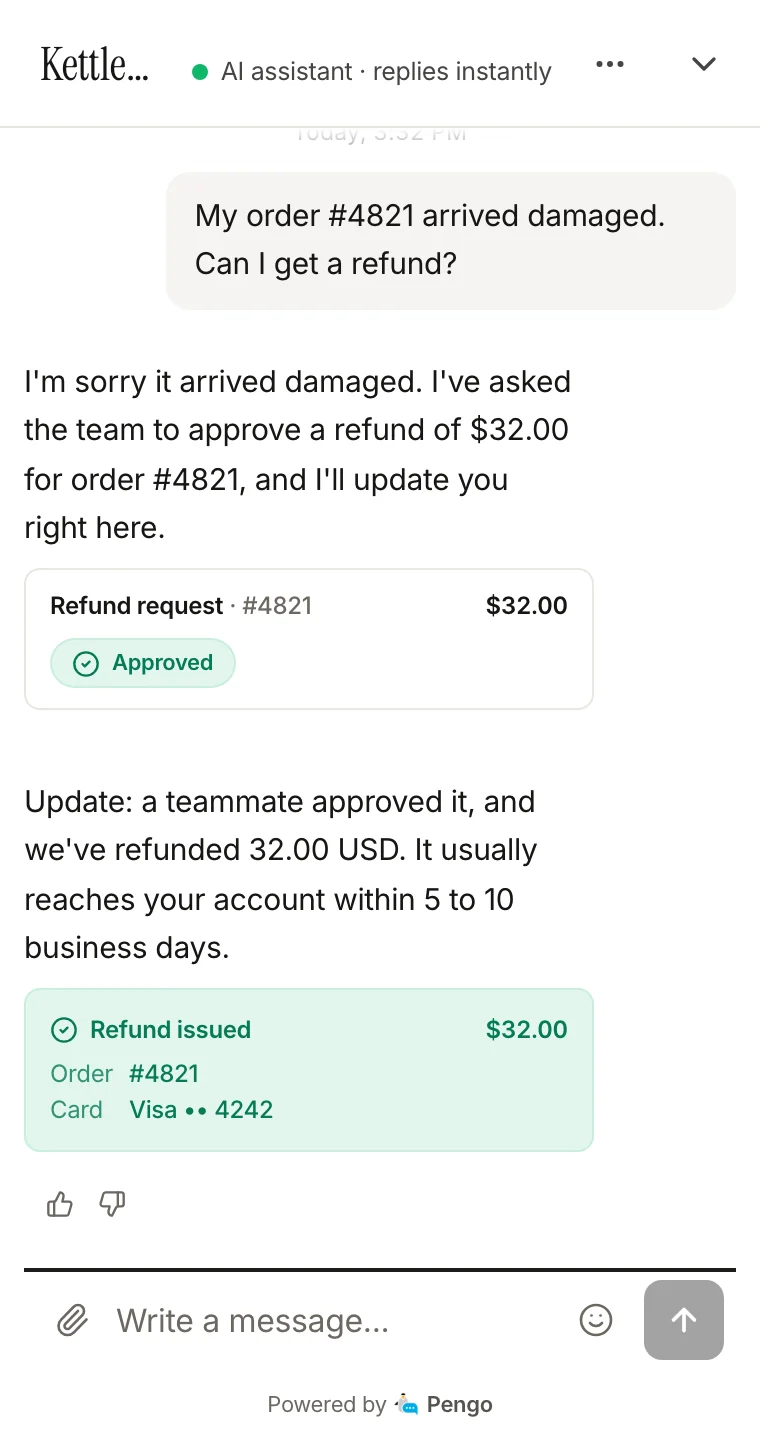
Linen
Paper white, a serif greeting and answers that read like text, not bubbles.
-
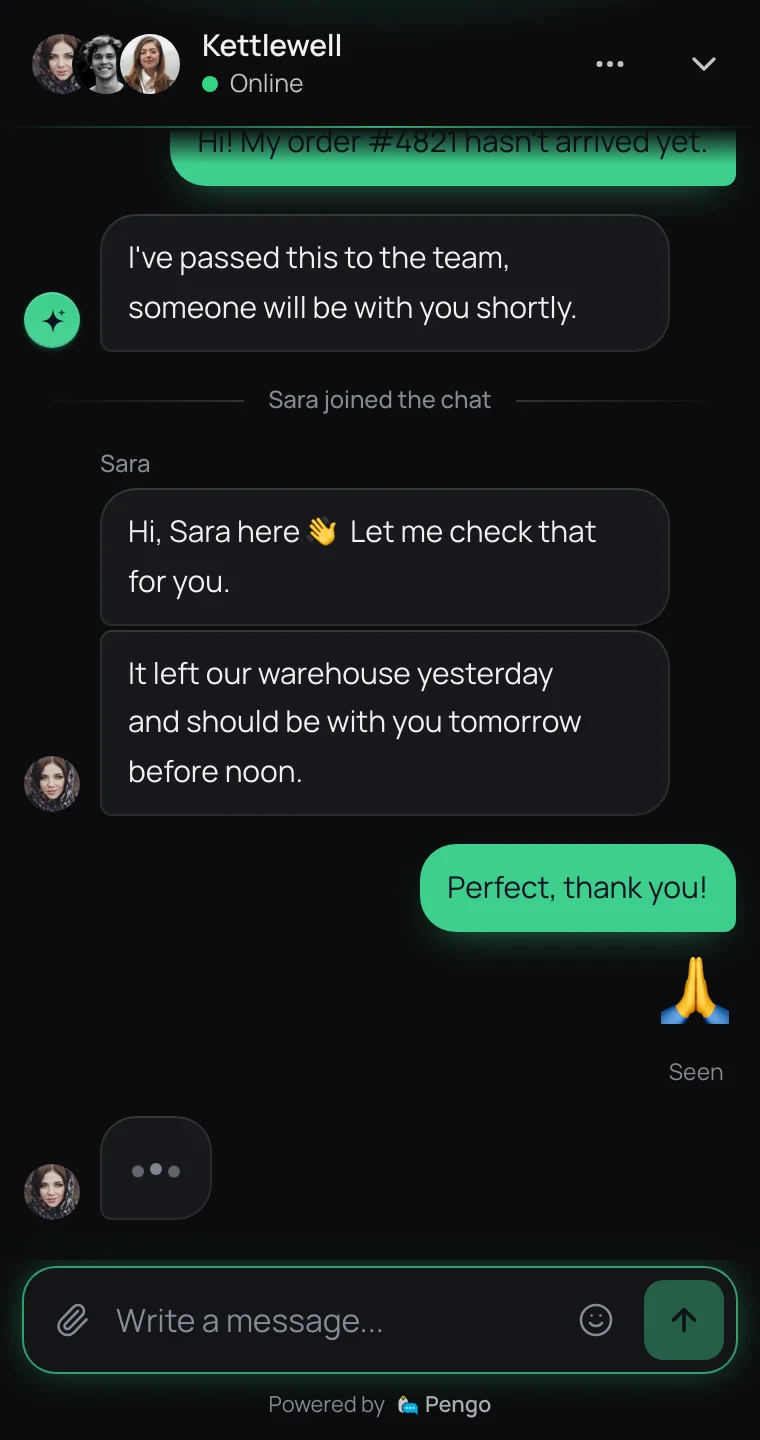
Night
Graphite with a line of light in your color. Always dark.
-
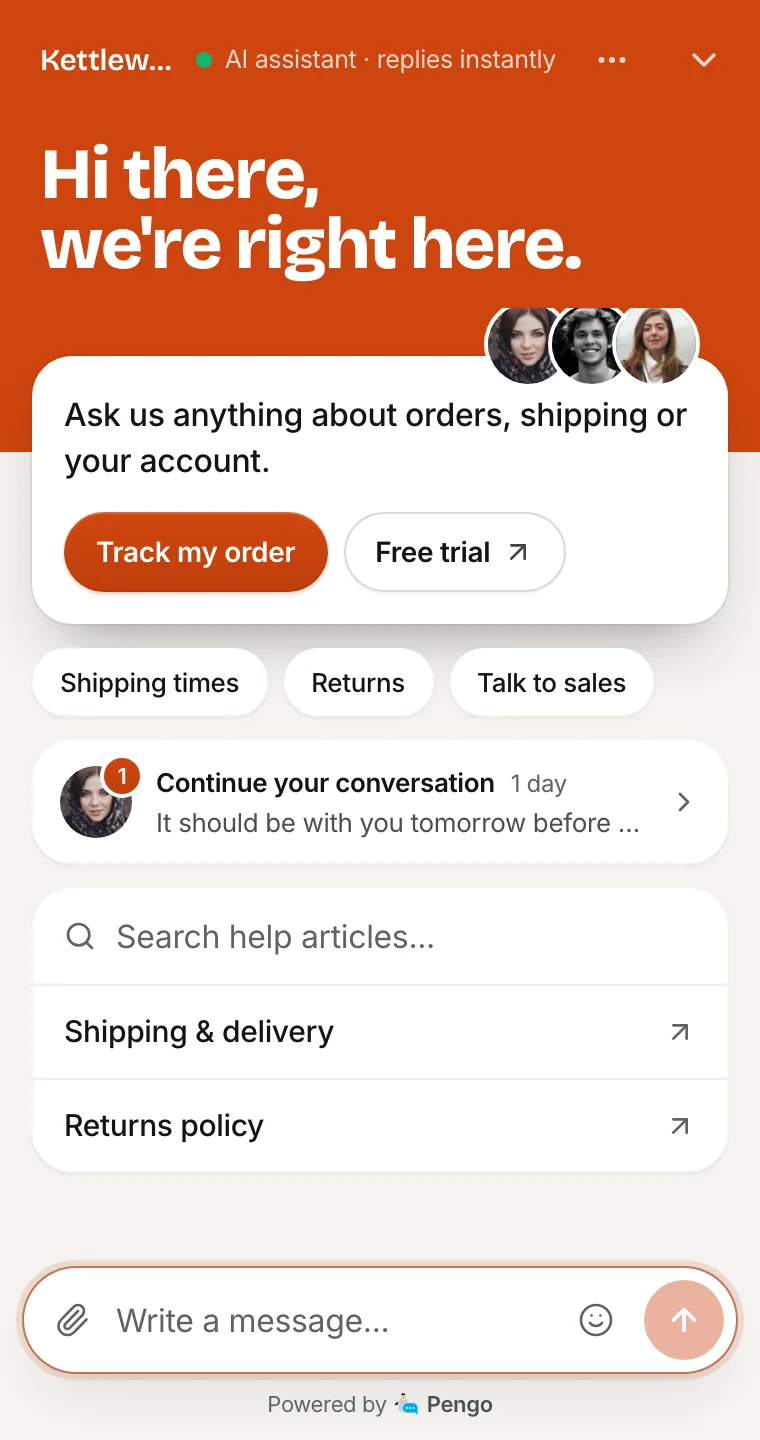
Bold
Your color as a solid block, a big greeting and a welcome card that lifts out of it.
Make it unmistakably yours
Color, side, greeting and home screen all live in one place, and your site picks them up instantly. Try a side and a greeting here.
Widget settings
kettlewelloutdoor.com
Brand color
Position
- Style. Five themes, Match my website, colors, launcher and position.
- Home. Greeting, team avatars, quick links and help articles.
- Forms. Pre-chat and offline forms, consent checkbox, away mode.
- Language. Eight widget languages, auto-detected or fixed per site.
- Proactive. Triggers by page, time on site, scroll and targeting rules.
Preview of the Pengo widget start screen showing your greeting, with the chat launcher in the bottom corner you choose.
Live on your site in five minutes
One snippet works on any website. Step-by-step guides cover the platforms most stores and teams run on.
-
One script tag
Copy your snippet from the dashboard and paste it before the closing body tag. Each website gets its own.
-
Or let your AI coding tool do it
Copy one prompt into Cursor, Claude Code, Windsurf, GitHub Copilot, Lovable, v0, Bolt or Replit Agent and it installs the widget the right way for your stack.
-
Checked for you
The site scanner detects your platform and anything blocking the widget, and the install check confirms it’s live.
- The widget loads after your page and never blocks it. See how it stays light →
A JavaScript API and verified identities
Drive the widget from your own UI, and prove who your logged-in users are so agents can trust the name on the thread.
-
pengo('open')
Open the chat from your own button.
-
pengo('close')
Close it after a flow finishes.
-
pengo('show') / ('hide')
Hide the bubble on checkout, show it elsewhere.
-
pengo('identify', …)
Attach a logged-in user, with an optional HMAC userHash.
-
pengo('shutdown')
Clear the session on sign-out so the next user starts fresh.
-
pengo('on', …)
Listen for open, close, unread and new-message events.
-
pengo('toggle')
Open or close it from one button.
-
pengo('setLocale', 'fr')
Switch the widget language when your site’s does.
-
pengo('getUnread')
Show the unread count on your own help icon.
-
pengo('setVisitor', …)
Send cart value, plan or any attribute your triggers and team use.
-
pengo('track', …)
Record an event, like “Started checkout”, on the visitor’s timeline.
-
pengo('showMessage', …)
Pop a message from the bubble when the moment is right.
Identity verification (HMAC-SHA256)
<script>
  pengo('identify', {
    userId: 'tb_user_31907',
    email: 'ruth@adebayo-design.com',
    name: 'Ruth Adebayo',
    // HMAC-SHA256(identity secret, userId), computed on your server
    userHash: '{{ userHash }}',
  });
</script>- Verified users keep the same conversations on every device.
- Require verification so nobody can claim to be a customer.
-
shutdownon sign-out, so a shared computer stays private.
Speaks their language. Works for everyone.
Eight widget languages, including right-to-left Arabic, plus the accessibility and reliability details that are easy to skip and hard to fake.
Accessible by default
Keyboard navigation, focus management, screen-reader labels and reduced-motion support.
Polished on mobile
Built for phones first: a full-height panel, touch-friendly controls and fast reconnects.
Business hours and away mode
Set your hours; outside them the widget switches to an offline form or sets expectations.
Reliable delivery
Messages arrive in order, exactly once, even on flaky mobile connections.
Visitor bans
Block abusive visitors from the inbox in one click.
Your brand, not ours
Pengo branding is removed on Growth and up, and Enterprise is fully white-label.
Live chat widget FAQ
How do I add the live chat widget to my website?
Which languages does the widget support?
Can I control the widget from my own code?
How does identity verification work?
What if the visitor leaves before we reply?
Can I run a different widget on each of my websites?
Can my AI coding tool install it for me?
Can the widget match my brand?
Can shoppers buy from the chat?
Can visitors book a meeting from the chat?

Add the widget in one script tag
Install in five minutes. Your AI agent is answering before your coffee cools.
Free plan forever · 14-day Growth trial · Cancel anytime