Live chat best practices: a playbook for small support teams
A live chat playbook for teams of 1 to 10: response times, staffing to your busy hours, routing, SLAs, saved replies, proactive messages and a weekly review.

On this page
- What good live chat looks like for a small team
- Set expectations before the first message
- First response or resolution: which matters more?
- Why p90 matters more than your average response time
- How many people do you need online? Staff to your busiest hours
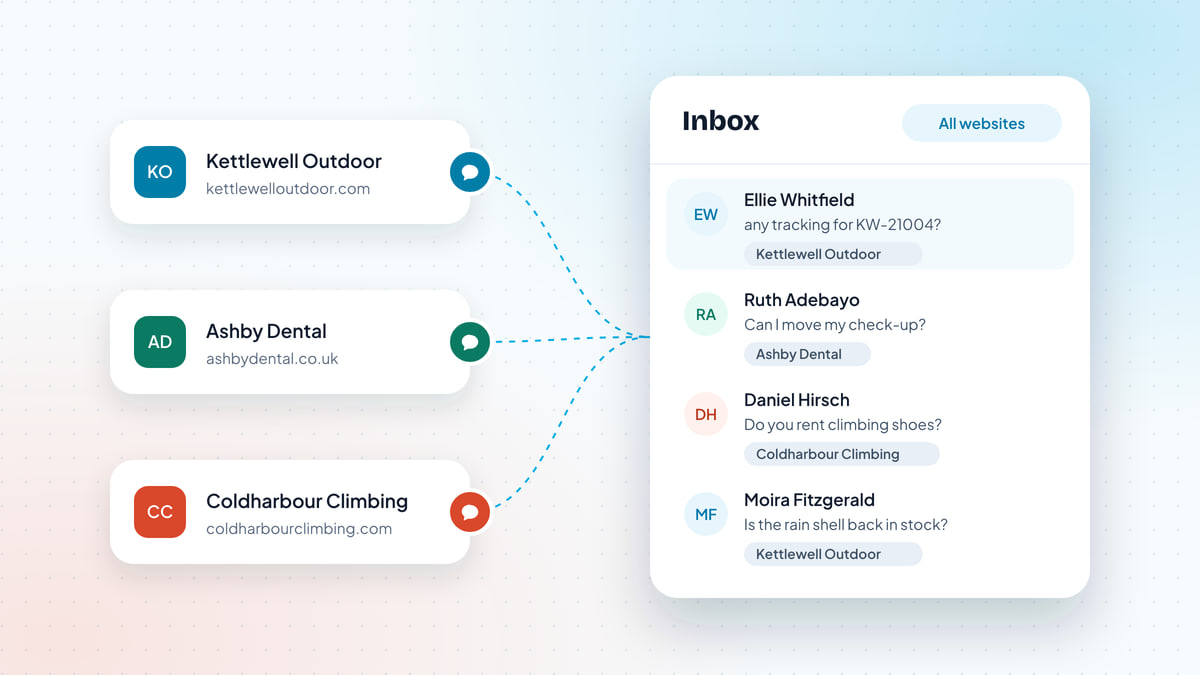
- Routing: round robin, least busy, or let people pick?
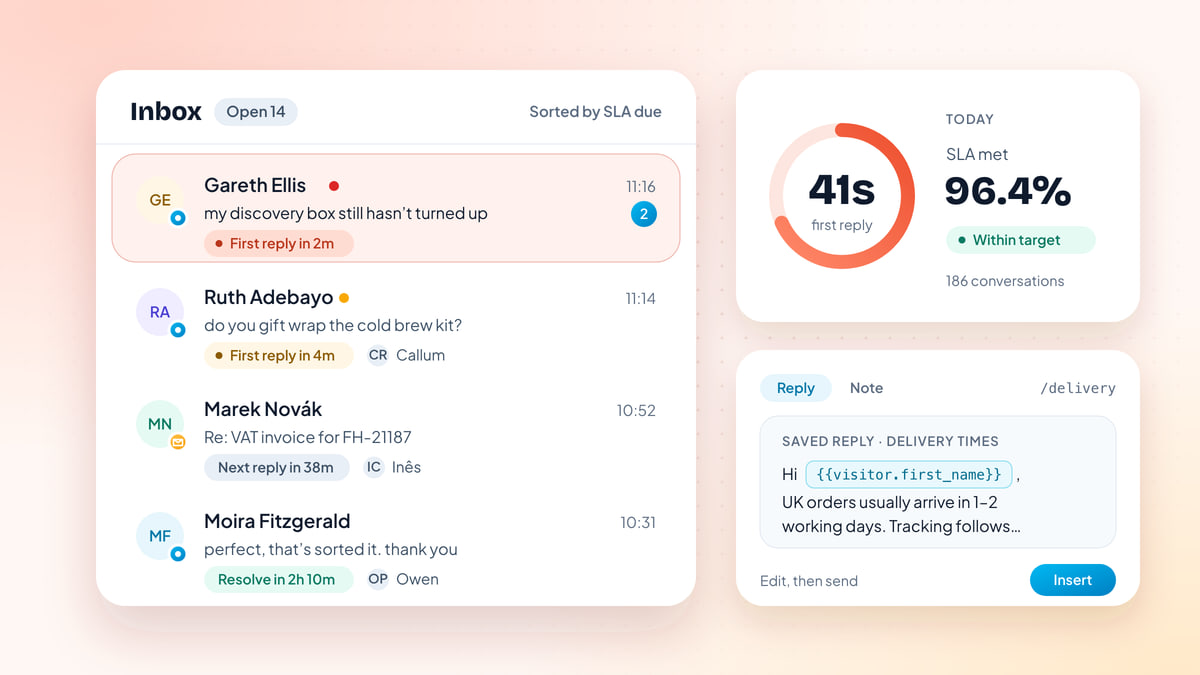
- Set SLAs per priority, not one number for everything
- How to write chat replies people actually like
- Saved replies without sounding robotic
- Internal notes, mentions and handing over
- When to move a chat to email
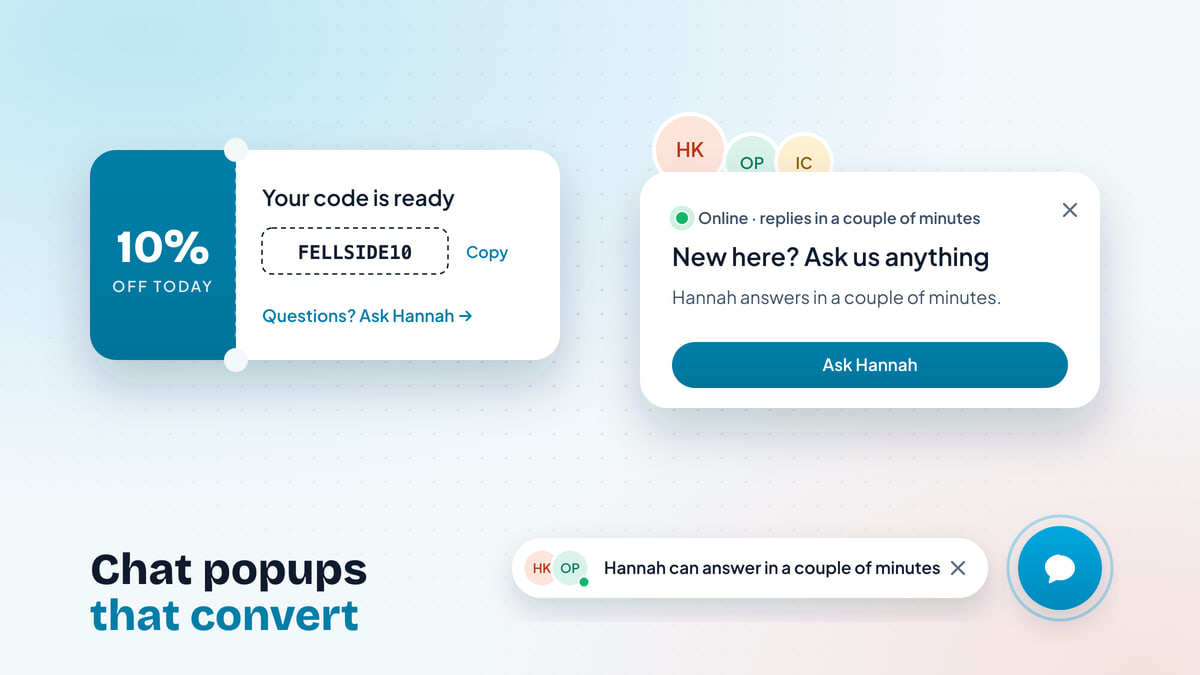
- Proactive messages without being annoying
- End the chat well, and ask for a rating
- Where AI fits in a small team’s chat
- The weekly review: 30 minutes, five numbers
Key takeaways
- Small teams win at live chat by being honest about availability: show business hours, switch to an offline form when nobody's there, and never show 'online' when you aren't.
- Track first response time at p50 and p90, not the average. The p90 shows the one customer in ten who waited too long, which an average hides.
- Staff to your busiest hours, not to the clock. A week of chats per hour, laid against who is online, shows exactly where to move a shift or let the AI take the first reply.
- Write chat replies short, warm and one question at a time. Saved replies with variables save typing, but read and edit each one before you send it.
- Run a 30-minute weekly review: response times, missed chats, low ratings and the questions that keep coming back. Fix one thing each week.
Live chat promises customers something email never did: an answer while they’re still on the page. For a small team that promise is hard to keep. There are three of you, chats arrive in clumps at lunchtime and after dinner, and the same person who answers chat also packs orders, fixes invoices or takes sales calls.
The teams that do it well aren’t the ones with the most people. They’re the ones that are honest about when they’re available, cover the hours that matter, write replies people actually want to read, and look at their numbers once a week. This playbook covers each of those, in roughly the order we’d set them up.
What good live chat looks like for a small team
From the customer’s side, good live chat comes down to three things:
- Someone answers quickly, or tells me honestly when they will.
- The answer is right, and I don’t have to explain my problem twice.
- It ends cleanly: I know what happens next, and I don’t have to chase.
Everything below serves one of those. Before going further, it helps to pin down the two numbers every chat team gets asked about.
Set expectations before the first message
Most bad chat experiences start before anyone types. The widget says “We’re online!” when nobody is, or promises “replies in seconds” at 11pm on a Sunday. The customer waits, gives up, and now you have an annoyed customer instead of a question.
Fix this first, because it costs nothing:
- Set your business hours in the chat tool, per day, in your own time zone. The widget should show whether you’re around and, if not, when you’re back.
- Use away mode when the person on chat steps out, even for an hour. A small team’s “online” status should mean someone is genuinely watching.
- Switch to an offline form outside hours. Ask for an email address and the question, then reply by email. People are fine waiting overnight if they know they will hear back.
- Say what “fast” means for you. “Usually replies in a few minutes” is honest for a team that’s online. “We’ll reply by 10am tomorrow” is honest at night.
For Kettlewell Outdoor, a small outdoor clothing store in Leeds, an out-of-hours message might read:
We’re offline until 9am (UK time). Leave your email and question and Hannah or Owen will reply first thing. Delivery and returns answers are in our help center if you need them now.
That one message removes much of the frustration people feel about slow chat, because what was slow was the gap between what they expected and what happened.
First response or resolution: which matters more?
Both, but they fail differently.
A slow first response makes people leave. In chat, the customer is sitting on your page waiting; after a couple of minutes of silence, many will close the tab. As a rule of thumb, aim to send a real first reply within a minute or two while you’re online.
A slow resolution makes people come back unhappy. A two-second “Hi, how can I help?” followed by twenty minutes of silence is worse than a forty-second reply that actually answers.
Some habits that keep both honest:
- A holding reply is fine if it’s specific. “Let me check KW-21187 with the warehouse, two minutes” is a good first reply. “Thanks for reaching out! Someone will be with you shortly” is a bot pretending to be a person.
- Don’t game the first response with auto-replies. If your tool counts an automated greeting as a first response, your numbers look great and your customers still wait.
- Close the loop. If the answer needs time, say when you’ll come back, and come back then.
Why p90 matters more than your average response time
Most chat tools show an average first response time. It’s the least useful version of the number, because a handful of very slow chats and lots of fast ones can produce the same average as a team that’s consistently a bit slow.
Here are two illustrative weeks of 20 chats each, with identical averages.
Week 1: average 1 minute 16 seconds, median 1 minute 14 seconds, p90 1 minute 44 seconds, with all chats answered between 38 seconds and 2 minutes 10 seconds. Week 2: average 1 minute 16 seconds, median 35 seconds, p90 4 minutes, with 17 chats answered in about a minute and three that waited 4, 5 and over 6 minutes.
The percentiles tell the real story:
- p50 (the median) is the wait for a typical customer. Half wait less, half wait more.
- p90 is the wait that 9 in 10 customers beat. It’s the experience of your unluckiest regular customer, and it’s where complaints come from.
Week 2’s median is twice as fast as Week 1’s, and on an average-only dashboard the two weeks look the same. But three people in Week 2 sat in silence for four minutes or longer, all of them between 12 and 2, when both people on chat went to lunch at the same time. The fix isn’t “reply faster”. It’s “stagger lunch”.
So track both: p50 to see your normal, p90 to find the gaps. When p90 jumps, look at when the slow chats happened. It’s almost always a staffing gap, not a person being slow.
How many people do you need online? Staff to your busiest hours
Small teams usually staff chat to office hours, because that’s when people are at work. Customers don’t shop or get stuck on that schedule. For many online shops and software products, chats bunch up at lunchtime and again in the evening, and Sunday nights can be busier than Monday mornings.
The way to find your pattern is a heatmap of chats per hour across the week, laid against who’s actually online. Below is an illustrative week for a small online shop. Move the sliders to try different schedules.
- Covered
- More chats than people can take
- Chats, nobody online
- Chats this week
- 296
- Arrive when nobody's online
- 75
- More than the team can take
- 4
A heatmap of chats per hour from 9am to 9pm, Monday to Sunday. With two people on weekdays 9 to 5, nobody on weekday evenings, one person on weekends and four chats per person per hour, 75 of 296 weekly chats arrive when nobody is online and 4 more exceed capacity on Sunday evening.
Try putting one person on weekday evenings: the coral disappears. Try dropping weekdays to one person: lunchtime and Monday morning turn amber. That’s the whole exercise. You don’t need a workforce-management tool to do it, just your own heatmap and an honest guess at how many chats one person can take in an hour.
When you plan the schedule:
- Cover the peaks first, the edges second. One person on a busy lunchtime does more good than two on a quiet 9am.
- Stagger breaks. If two people cover the day, they don’t take lunch at the same time.
- Use split shifts or a later start before hiring. Moving one person to 11–7 often covers the evening rush without adding anyone.
- Decide what happens in the gaps. Hours you can’t cover should get an honest away message, an offline form, and possibly an AI agent that answers the repetitive questions (more on that below).
- Be realistic about capacity. Two or three simple chats at once is a sensible ceiling for most people. A complicated refund needs full attention.
Routing: round robin, least busy, or let people pick?
Once more than one person is on chat, you need a rule for who gets the next conversation. There are four common options:
| Routing method | How it works | Good for | Watch out for |
|---|---|---|---|
| Round robin | Each new chat goes to the next person in turn | Even workload when chats are similar | Someone stuck on a long chat still gets the next one |
| Least busy | Goes to whoever has the fewest open chats | Mixed chat lengths, small teams | Fast closers get more work; that’s usually fine |
| Specific person (with fallback) | Goes to a named person, then to the team if they’re away | Key accounts, a specialist topic, one-person shifts | A fallback that’s never set up |
| Open queue | Everyone sees new chats and picks one up | Two or three people who sit together | Two people answering the same chat, or nobody answering the awkward one |
For most teams of two to ten, least busy is the best default. It handles the reality that one chat is “what’s your returns address?” and the next is a 25-minute subscription mix-up.
Whatever you choose, turn on collision detection, so the inbox warns you when a teammate is already in a conversation. Two people answering the same customer in the same minute is the quickest way to look disorganized.
Set SLAs per priority, not one number for everything
An SLA (service level agreement) here just means your target: how fast you aim to reply, and how fast you aim to solve. One target for everything doesn’t work, because a customer whose order hasn’t arrived and a customer asking whether you sell gift cards don’t need the same urgency.
Set targets per priority, and let the queue sort by what’s due next:
A few principles for picking the numbers:
- Start with targets you hit most of the time. An SLA you miss every day stops meaning anything. Tighten it once you’re comfortably inside.
- Measure in business hours. A chat that arrives on Saturday night shouldn’t count as breached by Monday morning if you’re closed on weekends.
- Use “next reply” as well as “first reply”. Customers mind a long silence in the middle of a conversation just as much as one at the start.
- Define what makes something urgent in plain words: order not arrived past the delivery window, payment taken twice, can’t log in. Otherwise everything becomes urgent.
How to write chat replies people actually like
Chat is closer to texting than to email. People read it on phones, in a small window, often while doing something else. Replies that would be fine in an email feel heavy in chat.
The rules we follow:
- Short. One to three sentences per message. If the answer is long, split it into two messages or link to the help article.
- Warm, not chirpy. Plain friendliness (“Thanks, Ruth, I’ve found it”) beats exclamation marks and “Awesome!!”.
- One question at a time. Asking for order number, email and postcode in one message gets you one of the three.
- Answer first, explain second. Lead with what they asked; add the “why” only if it helps.
- Say what happens next, and who does it.
- Match their language. If they write “my boots aren’t here”, don’t reply with “your consignment”.
Here’s what that looks like in practice:
| Situation | Weaker reply | Better reply |
|---|---|---|
| Delivery question | “Thank you for contacting Kettlewell Outdoor customer support. All UK orders are dispatched from our Leeds warehouse and are typically delivered within 1–2 working days, although delivery times may vary…” | “UK orders usually arrive in 1–2 working days. Want me to check where yours is?” |
| Need details | “Please provide your order number, email address, postcode and a description of the issue.” | “Sorry about that. What’s the order number? It starts with KW-.” |
| You need time | “Please hold.” | “Let me check with the warehouse. Back in about five minutes.” |
| Can’t do what they ask | “Unfortunately that is against our policy.” | “We can’t take back boots that have been worn outdoors, but I can send a new pair if they arrived faulty. Did they?” |
| Customer is upset | “I apologize for any inconvenience caused.” | “Six days is too long, and I’m sorry. I’m looking at it now.” |
| Wrapping up | “Is there anything else I can help you with today?” | “That’s sorted: a new pair goes out tomorrow. Anything else?” |
Saved replies without sounding robotic
Saved replies (also called macros or canned responses) are the biggest time-saver in chat, and the most common reason a team starts to sound like a phone menu. The difference is in how you write and use them.
Write them as starting points, not scripts. A good saved reply is the factual core of an answer, two or three sentences long, with the personal parts filled in by variables:
Hi {{visitor.first_name}}, UK orders usually arrive in 1–2 working days,
EU in 3–5 and US in 5–8. You'll get a tracking link by email once it ships.
Then:
- Read the customer’s message before you insert anything. If they asked about EU delivery, cut the UK and US lines.
- Edit before you send. The saved reply gets you most of the way; the last sentence should be about them.
- Name replies by what they answer (“delivery times”, “return label”, “pause subscription”), so anyone can find the right one in a second.
- Keep the list short. Twenty good replies that people use beat two hundred that nobody can find. Delete ones nobody has used in three months.
- Review them when policies change. An old saved reply quoting last year’s returns window is a wrong answer your whole team sends with confidence.
Internal notes, mentions and handing over
Small teams pass chats around all day: a delivery question turns into a refund, a billing question needs the owner’s sign-off. The handover is where customers end up repeating themselves.
- Use internal notes, not side channels. A note inside the conversation (“@Owen, customer was double charged, Stripe shows two payments”) keeps the context where the next person will see it. A message in a separate chat app gets lost.
- @mention the person you need instead of reassigning and hoping they notice.
- Leave a one-line summary when you hand over: what they asked, what you’ve already told them, what’s left. Your teammate should be able to reply without scrolling.
- Tell the customer what’s happening. “I’ve asked Owen, who handles billing. He’ll reply here within the hour” turns a wait into a plan.
When to move a chat to email
Not everything should be solved live. Move to email (or tell the customer you’ll reply by email) when:
- The fix needs investigation that will take longer than about ten minutes: a warehouse check, a bug report, a refund that needs approval.
- The customer is leaving. If they say they have to go, take an email and promise a time.
- Someone else needs to answer, and they won’t be around today.
- There are attachments or long details going back and forth.
Done well, this isn’t a brush-off. Say what you’re doing and when, then make sure the reply lands in the same conversation thread so whoever picks it up sees the full history.
Proactive messages without being annoying
Proactive messages, the chat bubbles that open on their own, can help or annoy. The difference is in when they appear and how often.
- Trigger on a signal, not a timer on every page. Someone who has spent three minutes on your pricing page, or is about to leave checkout, may want help. Someone who’s been on your homepage for ten seconds doesn’t.
- Set frequency caps. Once per visitor or once per session is plenty for most messages. A bubble on every page view is the fastest way to teach people to close it.
- Stay quiet when nobody’s online, unless an AI agent can genuinely answer. A proactive “Can I help?” followed by silence is worse than no message.
- Write like a person. “Not sure which boot size to pick? Happy to help” beats “Hi there! Got questions? We have answers!”
If you sell online, our guide to live chat for ecommerce goes deeper on proactive messages for product pages, carts and checkout.
End the chat well, and ask for a rating
The end of a chat is the part customers remember. A good ending has three parts:
- Confirm what was done. “Your replacement pair ships tomorrow, tracking to follow by email.”
- Check nothing’s left. “Anything else?” is fine here, once.
- Close the conversation and ask for a rating while it’s fresh.
Keep the rating to one tap (a thumbs up or down, or a 1–5 score) with an optional comment. Read every low rating with a comment; they’re the most useful feedback you’ll get, and they’re often about something other than the person who answered (a policy, a delivery partner, an unclear page).
If customers tend to go quiet once they have their answer, auto-close answered chats after a set time so your open count reflects real work.
Where AI fits in a small team’s chat
AI is most useful to a small team in two different roles, and it’s worth keeping them separate.
An AI agent answers customers directly, from your own help content, and hands the conversation to a person when it isn’t sure or when the topic needs one. It earns its keep on repetitive questions (delivery times, returns, how-to steps) and in the hours you can’t staff. Our guide to setting up an AI agent for customer support covers training, thresholds and handoff in detail.
An AI copilot helps your team write. It drafts a reply from your help content for a person to check and send, rewrites a rough draft to be friendlier or shorter, translates in both directions so Callum can help a customer writing in Danish, and summarizes a long conversation when it’s handed over.
For a team of three, a sensible split is: the agent takes first replies out of hours and on the common questions; people take everything else, with the copilot doing the typing on repetitive answers. The coverage planner above is a good place to decide where: the coral hours are exactly where an agent helps most.
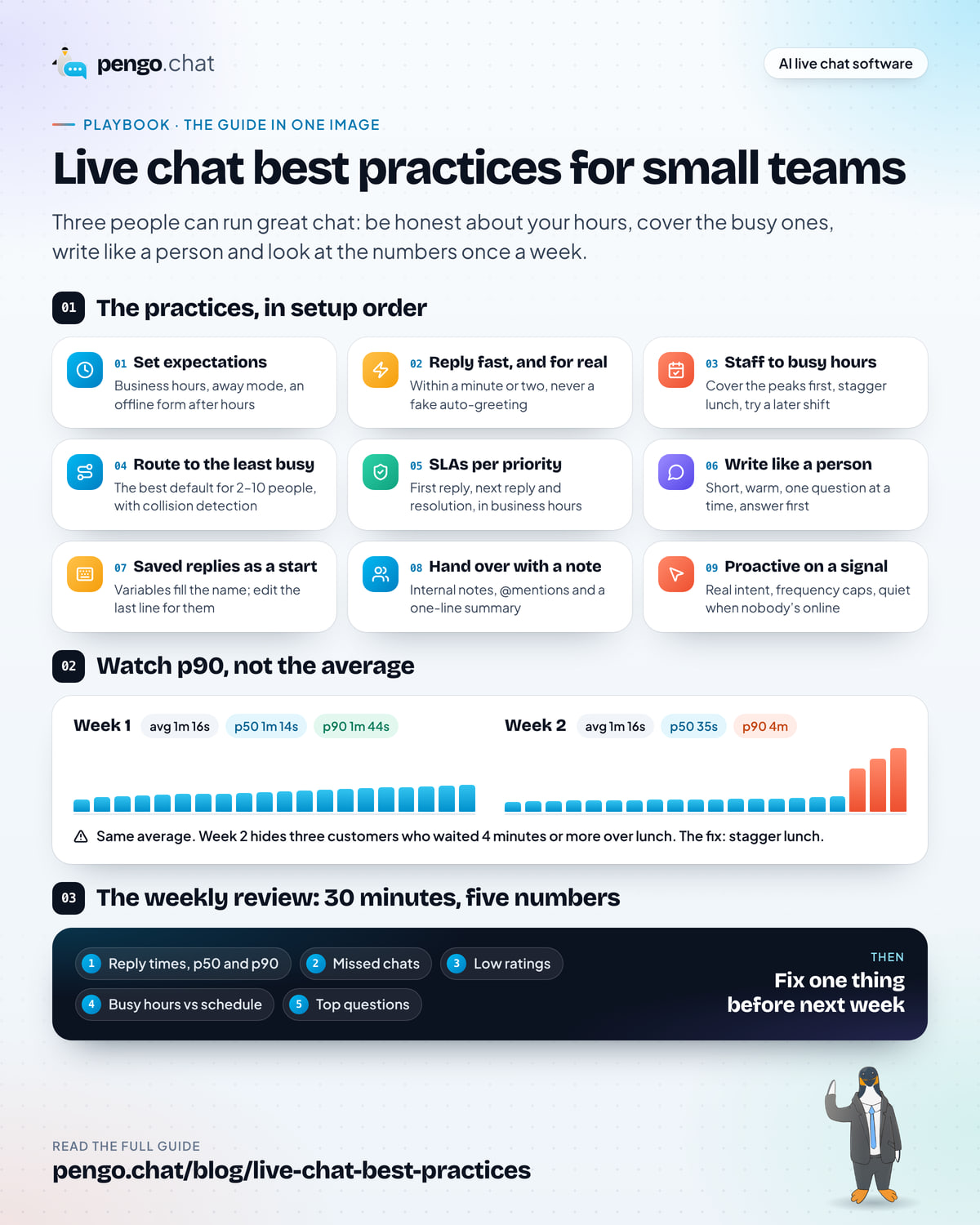
The weekly review: 30 minutes, five numbers
Everything above drifts without a regular look. Book 30 minutes at the same time each week, ideally with everyone who answers chat, and go through the same short list.
- First response time, p50 and p90. Did p90 jump? Find out when the slow chats happened.
- Missed chats. How many arrived and got no reply at all? Each one is a customer who left without help. Check what time they came in.
- CSAT and the comments on low ratings. Read every one. Look for patterns, not blame.
- Busiest hours against the schedule. Has the pattern shifted? Is someone covering the evening peak?
- Top topics and repeat questions. What did people ask about most? Could a help article, a better product page or a saved reply answer it?
Then pick one thing to fix before next week. One. A rewritten returns page, a moved lunch break, a new saved reply. Small teams improve by fixing one real problem a week, not by redesigning everything every quarter.
Weekly live chat review
0 of 8 done
None of this needs a big team. It needs honest hours, a schedule that matches when people actually write in, replies that sound like a person, and half an hour a week spent looking at what happened. Do those four things and three people can run chat that feels better than most companies with thirty.