AI chatbot vs live chat: which does your website need?
AI chatbot vs live chat for your website: where each one wins, where each fails, and how to pick the right mix of instant AI answers and real people.

On this page
- What’s the difference between an AI chatbot and live chat?
- Old chatbots vs modern AI agents
- Chatbot vs live chat: where each one wins
- Why most websites need both, in one tool
- How a hybrid conversation actually flows
- How to decide your mix of AI and people
- What the best live chat software for your website should do
- Mistakes to avoid when you combine them
- How to set up AI and live chat together
- Before you choose
Key takeaways
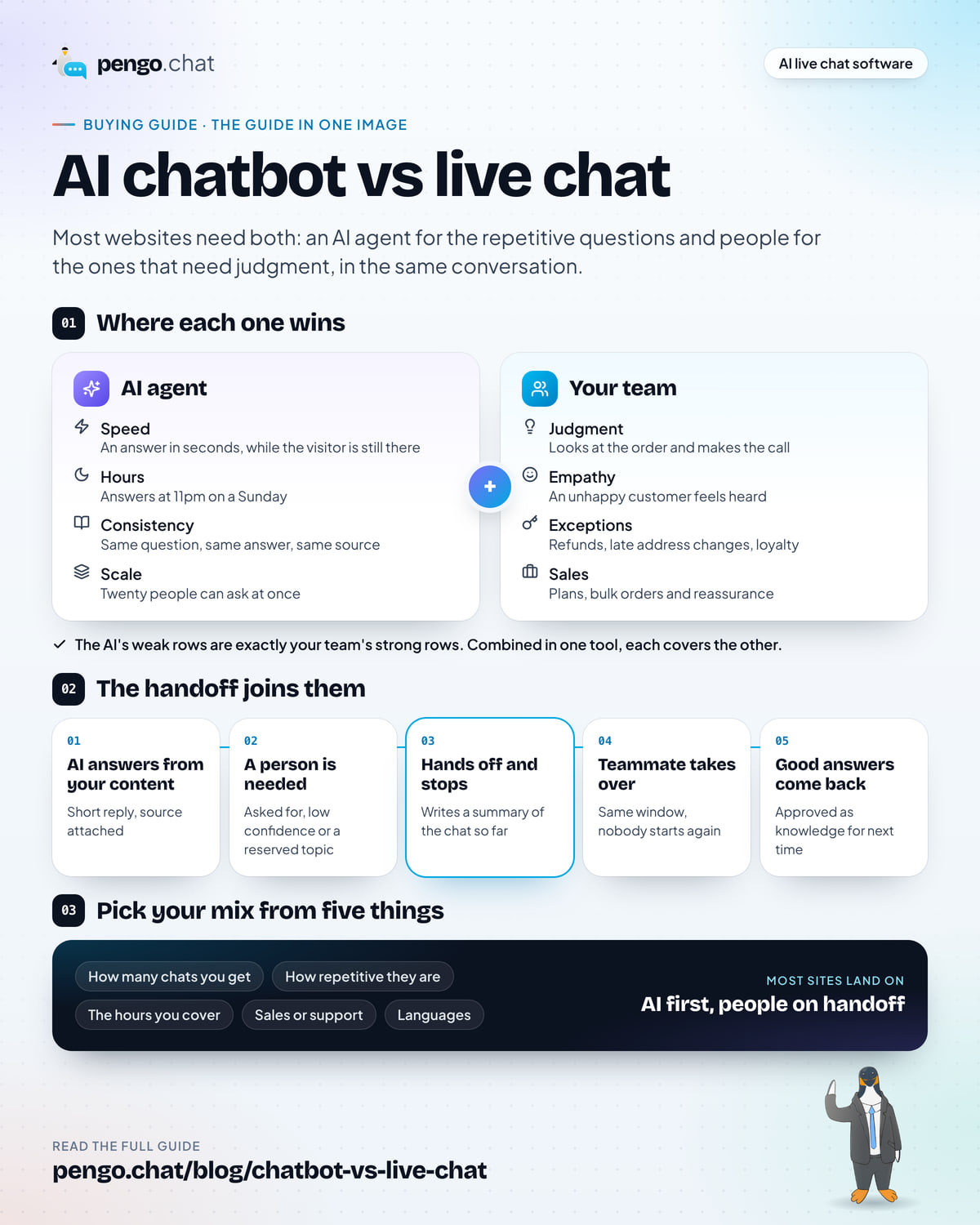
- Most websites need both: an AI agent that answers the repetitive questions instantly, and live chat with people for everything that needs judgment, in the same conversation.
- An AI chatbot wins on speed, hours and scale. It replies in seconds, at 3am and on your busiest day, as long as it answers only from your own content.
- People win on judgment, empathy, exceptions and sales: refunds, complaints, bulk orders and the buyer who needs reassurance. Those are the chats that decide whether someone stays.
- The feature that makes the two work together is the handoff: the AI passes the chat to a teammate in the same window, stops replying, and leaves a written summary.
- Pick your mix from five things: how many chats you get, how repetitive they are, the hours you cover, sales or support, and languages.
If you’re adding chat to your website, the first fork in the road is usually framed as chatbot vs live chat. An AI chatbot answers on its own, instantly and at any hour. Live chat puts a real person from your team in the conversation. Each sounds like the obvious choice until you think about what goes wrong with it.
A chatbot on its own eventually meets a question it shouldn’t answer. Live chat on its own means someone has to be there, and type the same delivery times thirty times a day. This guide compares the two plainly, explains what changed when chatbots became AI agents, and walks you through choosing the right mix for your site. For most businesses, that mix is both, in one conversation.
What’s the difference between an AI chatbot and live chat?
Both live in the same little bubble in the corner of your site, which is why they get compared. But they do different jobs. An AI agent is built for answers: fast, consistent replies to questions that have a known answer. Live chat is built for conversations: the ones where someone needs to listen, decide or persuade.
Old chatbots vs modern AI agents
A lot of the skepticism about chatbots comes from the old kind. If your picture of a chatbot is three buttons that don’t fit your question and a loop that never reaches a person, that’s a decision-tree bot. Someone drew a flowchart, and the bot can only walk the paths on it.
Modern AI agents work differently, and the difference matters for this decision:
| Decision-tree chatbot | AI agent grounded in your content | |
|---|---|---|
| How it understands | Matches buttons or keywords | Reads the question in plain language, typos and all |
| Where answers come from | Replies someone scripted by hand | Your help articles, pages and files, searched when the question arrives |
| When it doesn’t know | Loops, or shows a fallback menu | Hands the chat to a person, with a summary |
| Upkeep | Rebuild flows when anything changes | Update the article and the answer follows |
| What customers feel | Stuck | Answered, or quickly passed to someone who can help |
The phrase that matters is grounded in your content. A general-purpose AI that answers from whatever it learned on the internet will happily invent a returns policy. An agent that only answers from your own help content, shows its source, and checks its own confidence before replying is a different tool. It can be trusted with the first reply because it knows when to stop. If you want the full setup, our guide to setting up an AI agent for customer support goes step by step.
Chatbot vs live chat: where each one wins
Here’s the comparison across the things a small team actually weighs. “Effort” here means your team’s time per conversation, not cost.
AI agent only Chatbot, no people
Live chat only People, no AI
AI + people One tool, one chat
Speed of first reply
Strong: Seconds, every time
Partly: Fast when someone is free
Strong: Seconds, then a person if needed
Hours covered
Strong: Nights and weekends too
Partly: Your team’s hours
Strong: Always answered
Team effort per chat
Strong: None when it answers
Weak: A person, every time
Strong: People only where they matter
Judgment and exceptions
Weak: Shouldn’t decide these
Strong: Refunds, edge cases, tact
Strong: Handed to a person, with context
Busy days
Strong: Scales with traffic
Weak: The queue grows
Strong: AI absorbs the peak
Other languages
Partly: Depends on the tool
Partly: Only what the team speaks
Strong: Copilot translates both ways
Sales conversations
Partly: Qualifies and books
Strong: Builds trust, closes
Strong: AI qualifies, people close
Consistent answers
Strong: Same answer, with a source
Partly: Varies by person
Strong: Sourced answers on both sides
A comparison matrix of AI agent only, live chat only, and AI plus people in one tool across eight criteria. The AI-only column is strong on speed, hours, effort, busy days and consistency but weak on judgment. The live-chat-only column is strong on judgment and sales but weak on effort and busy days. The combined column is strong on every row.
Where an AI agent shines
- Speed. The answer arrives in seconds, while the visitor is still on the page and still interested. No queue, no “someone will be with you shortly”.
- Hours. It answers at 11pm on a Sunday, when the alternative is an offline form and a reply on Monday.
- Consistency. The same question gets the same answer, from the same article, every time. When Kettlewell Outdoor’s delivery page says US orders take 5–8 working days, that’s what every visitor hears.
- Scale. A busy launch day or a sale doesn’t create a backlog. Twenty people can ask about delivery at once.
- Your team’s focus. Every repetitive question it answers is one your team doesn’t type, so their time goes to the conversations that need them.
Where people shine
- Judgment. “My order arrived damaged, can you send another before Friday?” needs someone who can look at the order and decide.
- Empathy. An unhappy customer wants to feel heard by a person. A perfect answer delivered without warmth can still lose them.
- Exceptions. Refunds outside policy, address changes after dispatch, a discount for a loyal customer. Rules are written by people and bent by people.
- Sales conversations. A visitor deciding between Tallybook’s Growth and Scale plans for a twelve-person agency, or an office manager asking about a bulk gift order, is a conversation worth having in person. Trust closes those.
Where each one fails on its own
An AI agent on its own fails at the edges. It can’t approve an exception, it can’t read the mood of a frustrated customer the way a person can, and if it has no route to a human, every question it can’t answer becomes a dead end.
Live chat on its own fails on time. A small team can’t be online for every hour visitors arrive, so chats go unanswered overnight. On busy days the queue grows and first replies slow down. And your best people spend their mornings pasting the same three answers about delivery and returns.
Why most websites need both, in one tool
Look at the matrix again. The AI’s weak rows are exactly the people’s strong rows, and the other way around. That’s the case for using both, but only if they’re joined properly.
Running a chatbot from one vendor and live chat from another sounds like a fix but creates new problems. The customer explains their problem to the bot, then again to the person. Your team works in two inboxes. Nobody can see which questions the bot handled and which it fumbled.
One tool solves this. The AI agent and your team share a single conversation, a single inbox and a single history. The AI takes the first reply on the questions it can answer well, and when a question needs a person, it passes the chat over in the same window. The customer doesn’t start again, and your teammate doesn’t either.
How a hybrid conversation actually flows
Here’s what that looks like in practice, step by step:
-
The AI answers from your content
A visitor asks a question. The agent searches your help content, writes a short answer and shows its source. If the visitor’s question is answered, that’s the end of it.
-
Something tells it a person is needed
The visitor asks for a person, the agent’s confidence falls below your threshold, the visitor rates an answer badly, or the topic is one you’ve reserved for people (refunds, account changes, complaints, large orders).
-
It hands off and stops talking
The agent tells the visitor someone from the team will reply here, stops replying so it never talks over your teammate, and writes a summary of the conversation so far.
-
A teammate takes over in the same chat
Routing picks who gets it. Your teammate reads the summary, sees what’s already been answered, and replies, often with a drafted suggestion from the copilot to start from.
-
The good answers come back as knowledge
Conversations your customers rated well can become suggested knowledge entries. You approve them, and the agent answers that question itself next time.
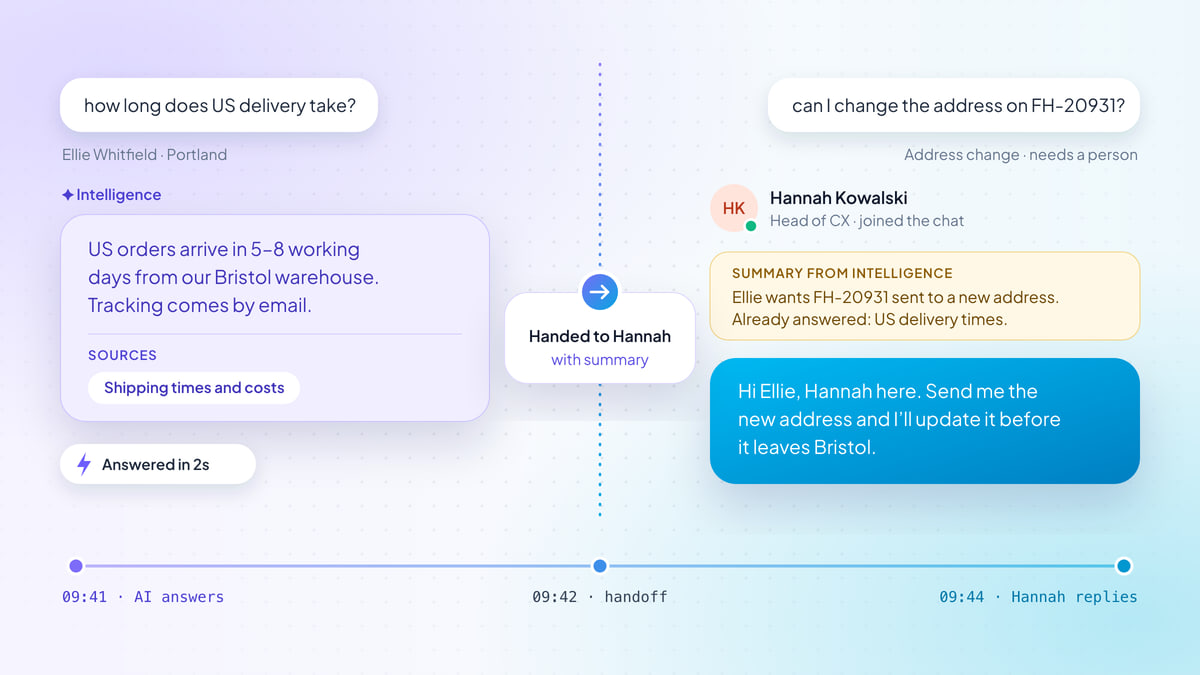
Here is one of those conversations from both sides. Daniel in Hamburg asks two questions. The first has an answer in Kettlewell’s help content. The second is a bulk gift order, which is exactly the kind of chat a person should take.
What Daniel sees: the AI answers
What Owen sees: the handoff
How to decide your mix of AI and people
“Both” is the answer for most websites, but the balance differs. A shop answering eighty delivery questions a day needs a different setup from an agency fielding five detailed inquiries a week. Five questions settle it.
1. How many chats do you get? Under ten a day, a person can comfortably answer most of them, and the AI is mainly your cover for nights and weekends. Fifty or more and the repetitive ones start crowding out the conversations that matter, so the AI should take the first reply.
2. How repetitive are they? Open your inbox and sort two weeks of chats into “the answer is already written down somewhere” and “this needed someone to think”. If half or more are in the first pile, an AI agent will take a large share of your workload from day one. If most need thought, the copilot does more for you than the agent does.
3. What hours can you cover? Count the hours someone is genuinely available to reply within a couple of minutes. Every hour outside that is an hour the AI agent can answer, with handoffs collected for when you’re back.
4. Are your chats mostly sales or support? Support chats lean toward repeatable answers. Pre-sale chats lean toward conversations: comparing options, building trust, handling objections. A sales-heavy site wants the AI qualifying visitors and capturing details, then handing the warm ones to a person quickly.
5. Which languages do your customers write in? If you sell across borders, as Kettlewell does to the UK, EU and US, think about who answers in German or Danish. The widget itself comes in eight languages, and the copilot’s two-way translation lets your team read and reply in languages they don’t speak.
Answer the five for your own site:
Recommended setup
AI first, people on handoff
The AI agent takes the first reply on every chat, day and night. Your team picks up the handoffs and the conversations that need a decision, with a summary waiting.
- First reply
- AI agent: AI agent, every chat
- Needs judgment
- Your team: Teammate, from a handoff
- Out of hours
- AI agent: AI agent, offline form for handoffs
- Helping your team
- Copilot: Copilot drafts and summaries
Recommended setup
Team in hours, AI out of hours
Your team answers during the day and the AI agent covers evenings and weekends. Once you have reviewed a few weeks of its answers, let it take the first reply all day.
- First reply
- Your team: Teammate in hours, AI agent after
- Needs judgment
- Your team: Teammate
- Out of hours
- AI agent: AI agent, offline form for handoffs
- Helping your team
- Copilot: Copilot drafts from your content
Recommended setup
People first, copilot assisting
Most of your chats need a person, so your team leads and copilot does the typing: drafted replies with sources, rewrites and summaries. The AI agent handles the few repeat questions and covers the hours nobody is in.
- First reply
- Your team: Teammate, with a copilot draft
- Needs judgment
- Your team: Teammate
- Out of hours
- AI agent: AI agent on repeat questions
- Helping your team
- Copilot: Copilot on every reply
Set it up like this
- Start with a strict confidence threshold, then lower it a step after a week of reviewed chats.
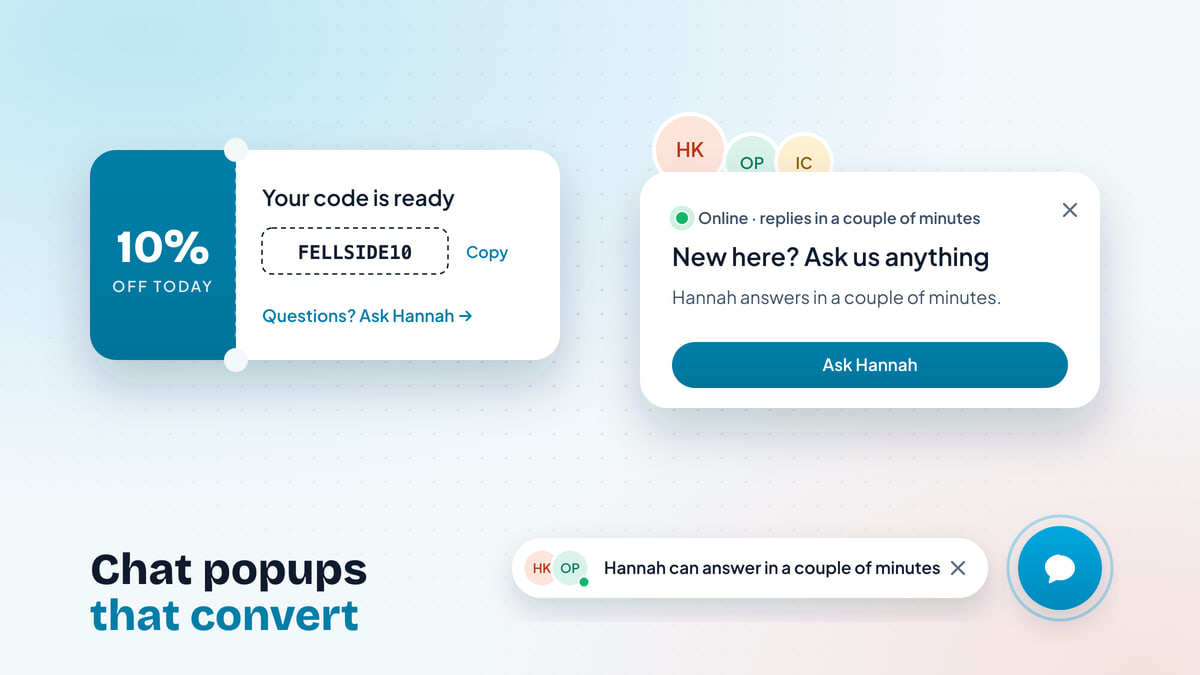
- Turn on proactive messages on pricing and checkout pages, and let the agent capture contact details and offer meeting slots.
- Train the agent on shipping, returns and how-to articles first. They carry most repeat questions.
- Use routing (round robin or least busy) and SLA clocks so no handoff sits unclaimed.
- Set business hours so a handoff outside them collects an email and the reply still reaches the customer.
- Copilot’s two-way translation lets your team reply in languages they don’t speak.
- Read twenty AI conversations a week and fix the content behind any weak answer.
An interactive helper with five questions about chat volume, repetitiveness, hours covered, sales or support focus and languages. With the default answers (10 to 50 chats a day, about half answered already, long days, both sales and support, one language) it recommends AI first, people on handoff: the AI agent takes the first reply on every chat and teammates handle handoffs, with copilot helping.
Whichever setup you land on, the AI and your team should be working in the same conversation. The difference between setups is only who goes first, and when.
What the best live chat software for your website should do
If you’ve decided you want an AI agent and live chat together, here’s what to check when you compare tools. Each item is something you can test in a trial with your own content.
| What to check | Why it matters | How to test it |
|---|---|---|
| Answers only from your content | Stops confident answers you never wrote | Ask about something your site doesn’t cover. It should hand off, not guess. |
| Shows its sources | Lets customers and your team trust the answer | Every AI reply should name the article or page it came from |
| A confidence threshold you set | You choose how sure it must be before it replies | Find the setting, raise it, and watch more chats go to people |
| Handoff in the same chat, with a summary | The customer never repeats themselves | Ask for a person mid-chat. The AI should stop, and the teammate should see a summary. |
| A copilot for your team | Faster human replies from the same knowledge | Open a handed-off chat and look for a drafted reply with citations |
| One shared inbox | AI chats, human chats and email in one place | Check that handed-off chats arrive where your team already works |
| Live visitors and proactive messages | Start the sales conversations, not just answer them | See who’s on your pricing page now, and set a message for it |
| A fast, light widget | Chat shouldn’t slow your pages or shift your layout | Run your site through PageSpeed Insights before and after install |
| Analytics that split AI from people | Shows what the AI resolves and what it hands off | Look for a report of AI-resolved vs handed-off conversations |
A tool that’s strong on the AI and weak on the inbox, or the other way around, will push you back toward two systems. Look for one built around the handoff, because that’s where the customer experience is won or lost.
Speed deserves a word of its own, because a chat widget sits on every page of your site. If you want the detail on facades, lazy loading and layout shift, our post on whether a chat widget slows down your website covers how to measure it.
Mistakes to avoid when you combine them
Most hybrid setups that disappoint fail in one of a handful of ways, and all of them are easy to avoid:
- Hiding the person. If a customer has to fail three times before reaching your team, they’ll remember the bot, not the answer. Make “talk to a person” work at any point, in any phrasing.
- Pretending the AI is a person. Label it as an AI assistant. Customers are far more forgiving of an AI that says what it is, and in the EU the AI Act requires telling people when they’re talking to one.
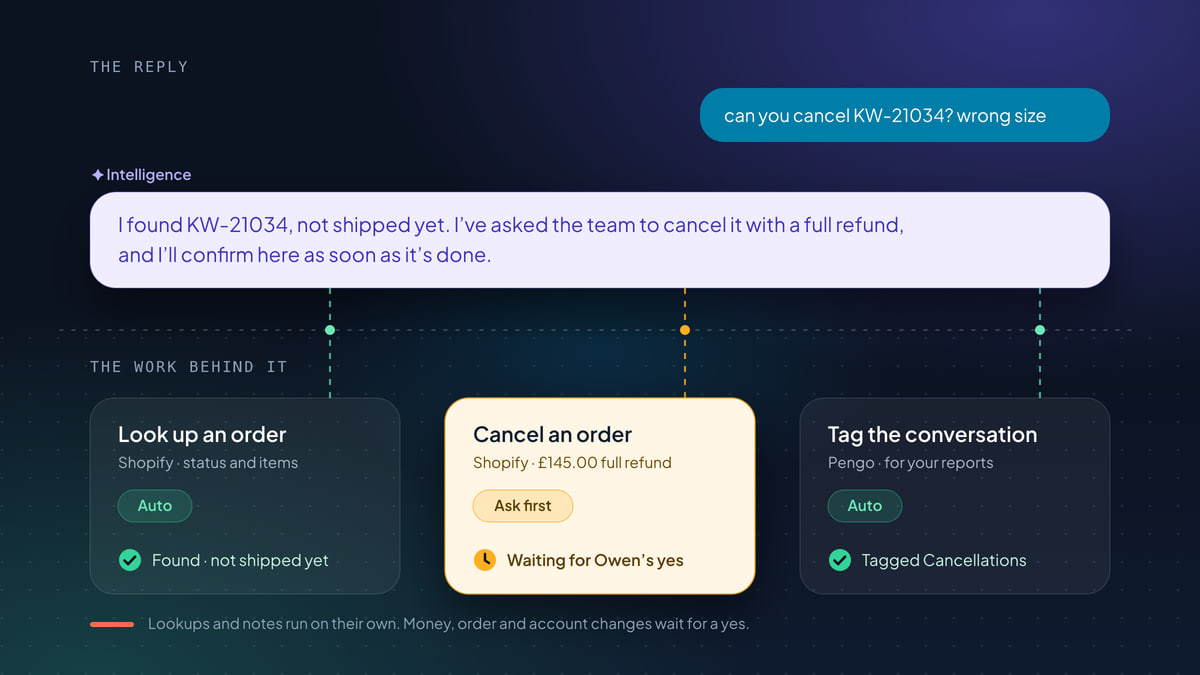
- Letting the AI promise things. Refunds, discounts, delivery dates beyond your policy and exceptions belong with your team. Write them down as handoff topics on day one.
- Handing off to an empty room. A handoff at 2am should say when the team is back and collect an email, so the reply reaches the customer even after they close the tab.
- Training it on everything. Old blog posts and announcements produce confident answers from outdated facts. Start with a small set of accurate pages and grow it.
- Never reading the AI’s chats. Twenty conversations a week, read by someone who knows the business, catches more than any dashboard.
How to set up AI and live chat together
You don’t need a project plan. A small team can get from nothing to a working hybrid setup in an afternoon, then refine it over the following weeks.
-
Install the widget
Add one script tag to your site, or use the guide for WordPress, Shopify, Webflow, Next.js or Google Tag Manager. In Pengo that’s about five minutes.
-
Give the AI a small, accurate knowledge base
Start with shipping, returns, pricing and your most-asked how-to articles. Pengo learns from your website, help center, files, Q&A pairs and apps like Notion and Google Drive. Our guide to writing help content an AI agent can answer from shows how to shape articles so they’re easy to find.
-
Test it with your real questions
Take 20 to 40 questions from your inbox, in customers’ own words, and run them through the test playground. Fix the content behind any weak answer.
-
Set the threshold, handoff rules and hours
Start with a strict confidence threshold. List the topics that always go to a person. Set business hours so out-of-hours handoffs collect an email.
-
Switch it on and review weekly
Turn the AI on everywhere, or start out of hours or on help pages. Each week, read twenty AI conversations and approve the knowledge suggestions from well-rated chats.
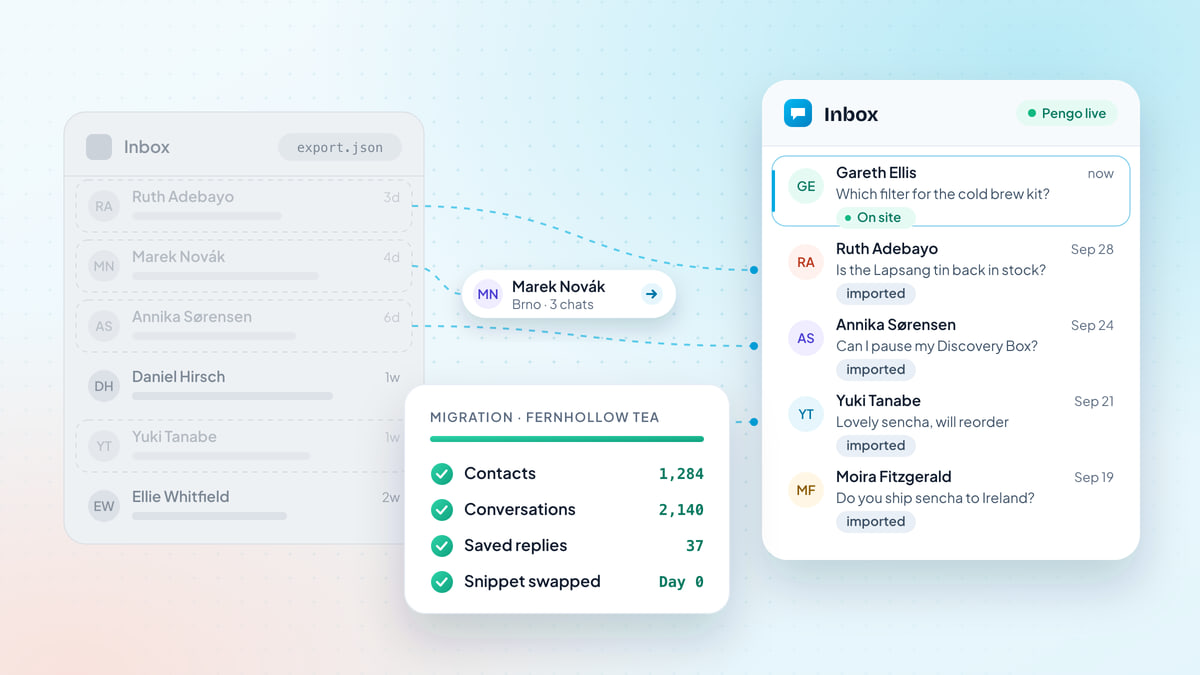
Then make the human side as good as the AI side. Our live chat best practices cover response times, routing and the weekly review, and if you sell online, live chat for ecommerce covers pre-sale questions, carts and “where is my order”. Moving from a tool you already use? Here’s how to switch live chat software without losing a conversation.
Before you choose
Choosing your AI and live chat setup
0 of 10 done
So, chatbot or live chat? Ask the question the way your customers would: they want a correct answer fast, and a person when it matters. An AI agent gives them the first. Your team gives them the second. Put both in the same chat, joined by a good handoff, and you don’t have to choose.